Multi-Location Settings
The Multi-Location section in Customize Business App controls settings for customers who manage multiple business locations. Configure default reporting time ranges and access group management.
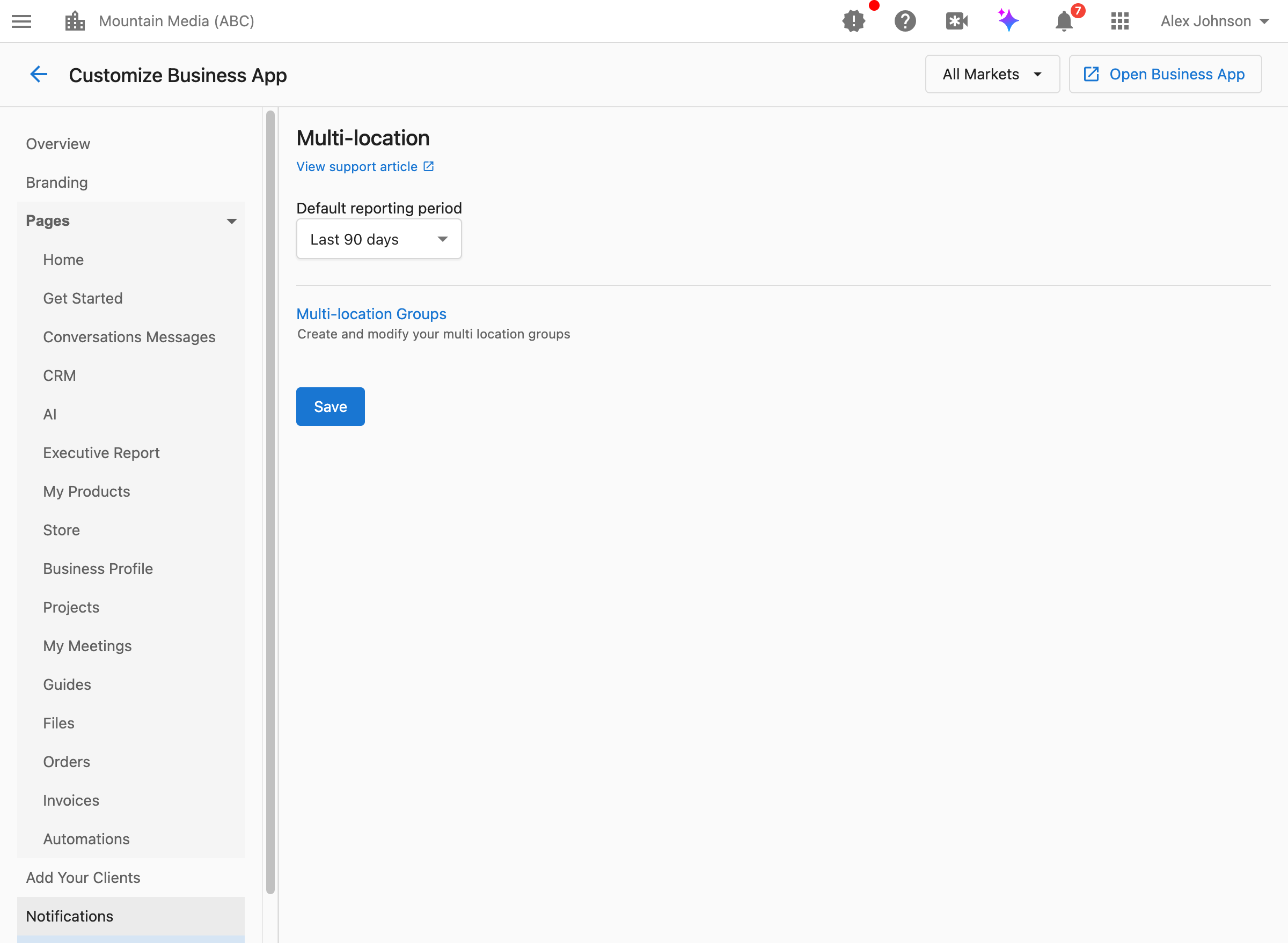
How do I access these settings?
Navigate to Partner Center → Accounts → Manage Business App → Customize Business App → Multi-location.
How do I set the default reporting time range?
The default reporting period controls what time range is pre-selected when multi-location customers view their reports.
What this controls:
- The default time period shown in Multi-location Business App dashboards
- The default time period for Multi-location Executive Reports
- The initial view customers see before selecting a different range
Available options:
- Last 7 days
- Last 30 days
- Last 90 days
- Last 6 months
- Last 12 months
When to change the default:
Last 7 days: Best for customers who monitor performance frequently and want recent dataLast 30 days: Good default for most businesses; balances recency with meaningful trendsLast 90 days: Better for seasonal businesses or those tracking quarterly performanceLast 6/12 months: Useful for customers focused on long-term trends and year-over-year comparisons
How to configure:
- Navigate to
Partner Center→Accounts→Manage Business App→Customize Business App→Multi-location. - Use the market dropdown in the top right to select All Markets or a specific market. To set a different default for one market, select that market and turn off the
Apply to all marketstoggle so your changes only affect that market. - Find the
Default reporting perioddropdown. - Select your preferred time range.
- Click
Save.
Customers can always change the time range when viewing their reports. This setting only controls the initial default selection.
How do I manage location groups?
Location groups allow you to organize multi-location customers' businesses into logical groupings (e.g., by region, franchise owner, or brand).
What groups do:
- Organize multiple locations into manageable segments
- Allow customers to view aggregated data for specific groups
- Help with reporting and performance comparison across location sets
How to configure:
Navigate to Partner Center → Accounts → Multi-location Groups to create and modify multi-location groups. See Create Multi-Location Groups for the full setup flow.
FAQs
Can customers change the time range themselves?
Yes. The default reporting period only sets the initial view. Customers can select a different time range at any time when viewing their reports.
Does the time range setting affect all reports?
This setting specifically affects Multi-location Business App and Multi-location Executive Report views. Individual location reports may have their own time range settings configured in the Home page settings.
What's the best default for most businesses?
Last 30 days is typically a good default for most businesses. It provides enough data to identify trends while remaining recent enough to be actionable. Consider your customers' industries and how frequently they review their data when choosing.
Can I set different defaults for different markets?
Yes. This setting supports market-specific configuration. Select a market from the dropdown to set a different default time range for that market's multi-location customers.
What happens if I don't set a default?
If no default is configured, the system uses a standard default (typically Last 30 days). Setting an explicit default ensures a consistent experience for your customers.
Who sees multi-location settings in Business App?
Multi-location views are only available to customers who have access to multiple business locations. Single-location customers won't see multi-location dashboards or reports.