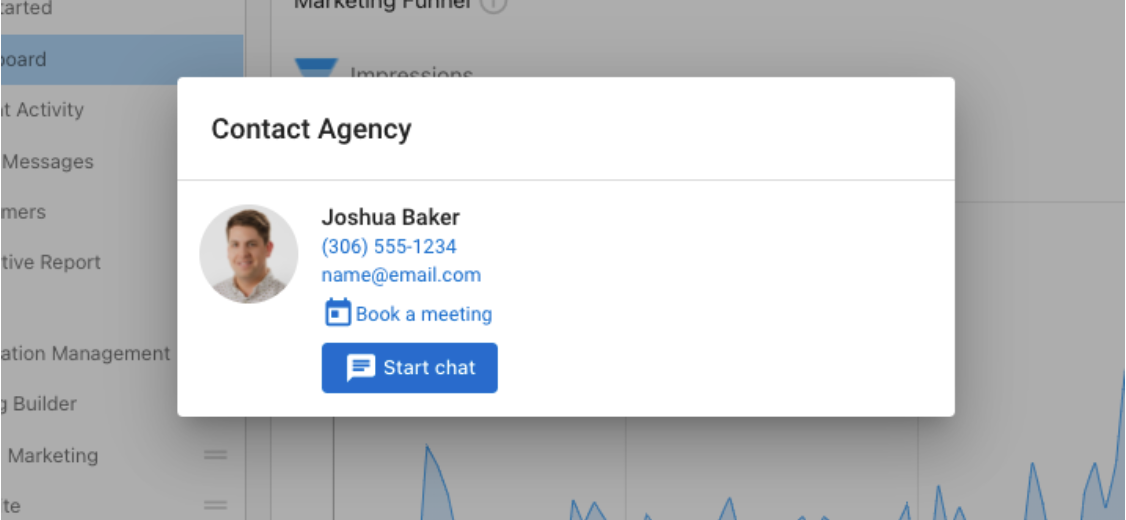
Business App Contact Card
Add a booking link in the Business App contact card
With the integration of a meeting scheduling link in Business App, you can make it easier for clients to book time with you. They will have access to a quick booking option from their mobile device or desktop browser on any platform they use.
Business App contact card with booking link
Users accessing Business App can display a CalendarHero meeting link—or any meeting scheduling link—on their salesperson profile. This link appears inside the Business App contact card for accounts assigned to that salesperson.
Important note about impersonation
When impersonating a user from Business App, you will not be able to start a conversation with the salesperson. To use this functionality, the user must be logged in to Business App directly.
How to set up
1. Add a link to the salesperson profile
- Go to Partner Center → Administration → My Team.
- Find the salesperson, select the three dots next to their name, and choose Edit Salesperson.
- Scroll to the field labeled Book a meeting link.
- Enter the meeting URL.
- Select Save.
2. Assign the salesperson to the account
- Go to Partner Center → Accounts → Manage Accounts.
- Select an account and choose Edit.
- Under Administration, ensure the correct salesperson is assigned.
- Once saved, users on that account will see a Book a meeting button on the Business App contact card.