How do US businesses register to use Conversations SMS messaging?
US businesses must register their phone numbers with carriers (A2P 10DLC) before sending SMS messages in Conversations AI Pro. To register, go to Business App → Administration → Conversation, click Register now on the registration card, and submit the form.
Phone carriers in the United States require this registration to prevent spam and other widespread SMS abuse.
How do I register a US business for SMS?
To register a US-based business, a business can go to Business App → Administration → Conversation to see the registration card. Click "register now" to view the form.
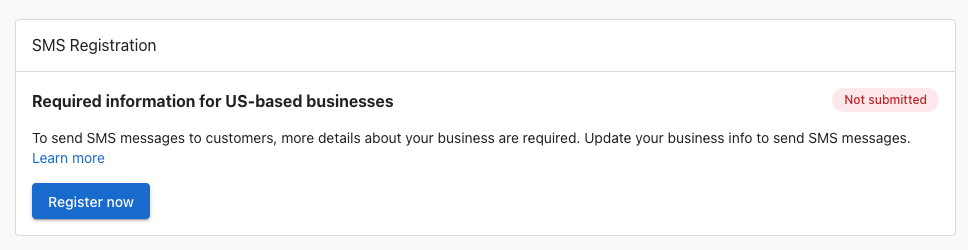
Fill out the form completely, and then click "Submit information". You can also save your progress if you are unsure of some fields and return to complete the registration later.
How do unified SMS numbers work?
Businesses often prefer using a single number to communicate with their customers to streamline interactions and ensure consistency.
How it works
Review requests are sent from the same SMS number used for Conversations AI communications. This offers several advantages:
- Single A2P Registration: Businesses only need to register one number for both sending review requests and using Conversations AI, simplifying the registration process.
- Unified Communication: Review events are logged directly in the Conversations AI conversation, ensuring that all interactions with a customer are in one place.
- Visible Replies: If a customer replies to a review request, their response will appear in the Conversations AI, allowing businesses to engage and respond.
Important Note
- Credits and Usage: Conversations AI is unlimited, and Reputation AI Premium uses credits.
Because review requests and Conversations AI communications share one SMS number, all customer interactions are accessible from one place.
How do I find my assigned SMS phone number?
After activating Conversations AI Pro, your business is automatically assigned an SMS number based on the business profile address. To find it:
- Go to
Business App→Administration→Conversation - Look for Your SMS number
If a local number is unavailable for your area code, a neighboring area number is assigned. Contact support to request a different area code or a toll-free number as an alternative.
Can I reply to SMS messages from Partner Center?
Conversations AI in Business App supports two-way SMS with customers. Partner Center does not support replying via SMS to customer messages — if you receive an SMS lead in Partner Center, open Business App to reply.
Why did my SMS campaign fail to send?
SMS campaigns will fail to send if the account's mailing address is incomplete. The following fields are required:
- Street address
- City
- Postal / ZIP code
Update the business profile address to resolve the issue before resending.
Why are SMS automations slower than email?
SMS automations deliver more slowly than email because each message undergoes carrier verification and rate-limiting. This is expected behavior — the "Sent" status in automation logs reflects when the message was queued, not when it was delivered.
For large automations, batch no more than 250 contacts per trigger to avoid queue congestion and ensure timely delivery.
Are templates under the "SMS Configuration" label SMS-only?
The Messaging Templates section in Conversations settings includes a label called "SMS Configuration," but the templates created there are not SMS-only. They are available across all messaging channels in Conversations AI, including web chat, email, and SMS. You can use any template regardless of which channel the conversation is on.
FAQs
How long does registration take?
Once the form has been submitted, registration through third-party verification can take anywhere from one week, up to one month. A third-party agency is being used by telecom carriers in the United States to verify business registration data with government databases.
How can I ensure my application is approved?
The most common reason for a business's application being rejected is because the information entered in the form does not match the information the IRS has for the business, associated with the EIN / Tax ID. Make sure the business information submitted matches exactly the same information associated with the EIN.
Why was the registration rejected?
Registration rejections fall into a few common categories. Here are the most frequent reasons and what to do about each one.
The business type is not eligible
Certain industries are blocked from SMS registration by US phone carriers, regardless of whether the business is legal in the state where it operates. Businesses that sell or promote any of the following are not eligible to register:
- Cannabis, CBD, hemp, or kratom products
- Tobacco, e-cigarettes, or vaping products
- Firearms or ammunition
- Alcohol (direct consumer marketing)
- Payday loans, high-interest lending, or debt settlement services
- Gambling (unless specifically licensed and pre-approved by carriers)
- Multi-level marketing (MLM) programs
If the business falls into one of these categories, SMS registration is not available.
The business information doesn't match IRS records
The registration system verifies the legal business name, EIN, and address against government databases. If anything doesn't match exactly, including punctuation, abbreviations, or the registered address, the registration will be rejected. The business should use their IRS CP 575 confirmation letter to verify the exact name and address on file before submitting.
The website's privacy policy has a problem
The privacy policy must be live, publicly accessible, and clearly state that the business does not sell or share customer phone numbers with third parties. Common issues that cause rejection:
- No privacy policy exists on the website
- The privacy policy link is broken or the page is not accessible
- The privacy policy includes language that allows sharing or selling contact information with third parties or other companies
- The privacy policy does not mention SMS messaging or how phone numbers are used
The website is missing SMS opt-in consent
If customers can enter their phone number anywhere on the website, that form must include a checkbox where the customer actively agrees to receive text messages from the business. A phone number field without explicit SMS consent language is a common rejection reason.
The terms and conditions are missing required messaging language
The terms and conditions must include all of the following:
- How often customers will receive messages (e.g., "Message frequency varies")
- "Message and data rates may apply"
- How customers can opt out (e.g., "Reply STOP to unsubscribe")
- How customers can get help (e.g., "Reply HELP for assistance")
The campaign description or sample messages were rejected
If the brand registration was approved but the campaign was rejected, the most common causes are:
- The use case description is too vague: "communicate with customers" is not sufficient. Carriers need specifics like "send appointment reminders to customers who opted in through an online booking form."
- Sample messages don't include the business name
- Sample messages don't include opt-out instructions (e.g., "Reply STOP to unsubscribe")
- Sample messages include a public URL shortener like bit.ly or tinyurl.com. These are blocked by carriers.
If the registration is rejected, the registration status shows the specific reason for the failure. The business should use it, together with the causes above, to correct the issue and resubmit once the form shows a failed status.
How does a business find their business registration number a.k.a. EIN / Tax ID?
An EIN is a nine-digit number the IRS uses to identify a business for tax purposes, much like a Social Security number identifies an individual business. In the US, the Internal Revenue Service (IRS) issues a CP 575 EIN Confirmation Letter to confirm the unique Employer Identification Number (EIN) issued to a new business. The EIN provided in a CP 575 letter is required to file your company's taxes, open a business bank account, and apply for a business credit card, loan, or payroll processing. If a business does not know their EIN, they can apply for an EIN by submitting IRS Form SS-4 online.
Can sole-proprietor businesses without an EIN register for SMS?
Not at this time. We are investigating supporting this in the future, for both US- and Canada-based businesses.
The business has already registered through the Customer Voice app. Do they need to register again?
Yes. Submit the form a second time. The data you entered previously is saved for the second submission.
The business is located outside of the United States. Do they need to register?
Registration is strictly for businesses that wish to send messages to US numbers, through US telecom carriers. Some businesses may be located outside of the United States, but wish to send SMS messages to US numbers. This is not possible currently, but will be in the future.
I don't see the registration option in Conversations?
Registration is only available for US-based businesses, with Conversations AI Pro product active. Ensure the account has an address located in the United States.
There was a mistake on the registration form I submitted - can I cancel it?
No, the form cannot be edited or canceled once submitted. If information was missing or incorrect, the registration will eventually move to a 'failed' status. Once registration fails, the form can be resubmitted.
Can I restart the registration process if it's taking too long?
No. Do not attempt to restart or resubmit a registration that is still in progress. Restarting creates a duplicate submission and makes things worse — it can extend the wait time or cause the original registration to be rejected. Wait for the current submission to reach an approved or failed status before taking any action.
The webchat SMS function has been suspended — what does "forbidden industry" mean?
US phone carriers block SMS registration for certain industries regardless of whether the business is legal in their state. If a business's registration is suspended for "forbidden industry," SMS messaging cannot be enabled for that account. The business can still use web chat, email, WhatsApp, Facebook, and Instagram channels through Conversations AI. See the "Why was the registration rejected?" section above for the full list of restricted industries.
Do I need to reset A2P registration after a client changes their business name?
Usually no. The registered business name shows in the app UI and is not customer-facing, so a name change alone does not require a new A2P registration. If you still need the registered name updated, open a Twilio support request (it can take up to four weeks), then ask Vendasta support to complete the internal update.
Which Business Type should I choose for a sole proprietor in SMS registration?
Sole proprietorships are not supported for SMS registration in Partner Center. That registration path is not available, so there is no Business Type that completes the flow for a sole proprietor.