AI Search Specialist
What is the AI Search Specialist?
The AI Search Specialist is an AI employee that helps your business show up and get chosen across traditional search and AI tools like ChatGPT, Gemini, and Perplexity.
The AI Search Specialist is available now as a free, open beta preview for all Local SEO Pro accounts. No additional charge applies during the beta. These capabilities move to SEO AI Premium at general availability, targeted for later this year. If you don't upgrade at that time, your Local SEO Pro account continues as it is today.
What's included in the open beta
| Feature | What it does | How to access |
|---|---|---|
| AI Search Specialist chat | Ask questions about keyword performance, listing health, and search visibility in plain language | Open the AI Search Specialist in Business App |
| Business Profile Optimization | Automatically reviews and improves your business data across Google, Bing, Apple Maps, Facebook, and more | Runs automatically in the background, once you turn it on |
| Brand Visibility Report | Shows how your business appears in AI tools, benchmarked against competitors | Click the chip in the chat interface |
| AEO Audit | Evaluates whether your website is discoverable by AI tools, with prioritized recommendations | Click the chip in the chat interface |
| SEO Audit | Baseline website SEO performance report with actionable, ranked recommendations | Click the chip in the chat interface |
How to access the AI Search Specialist
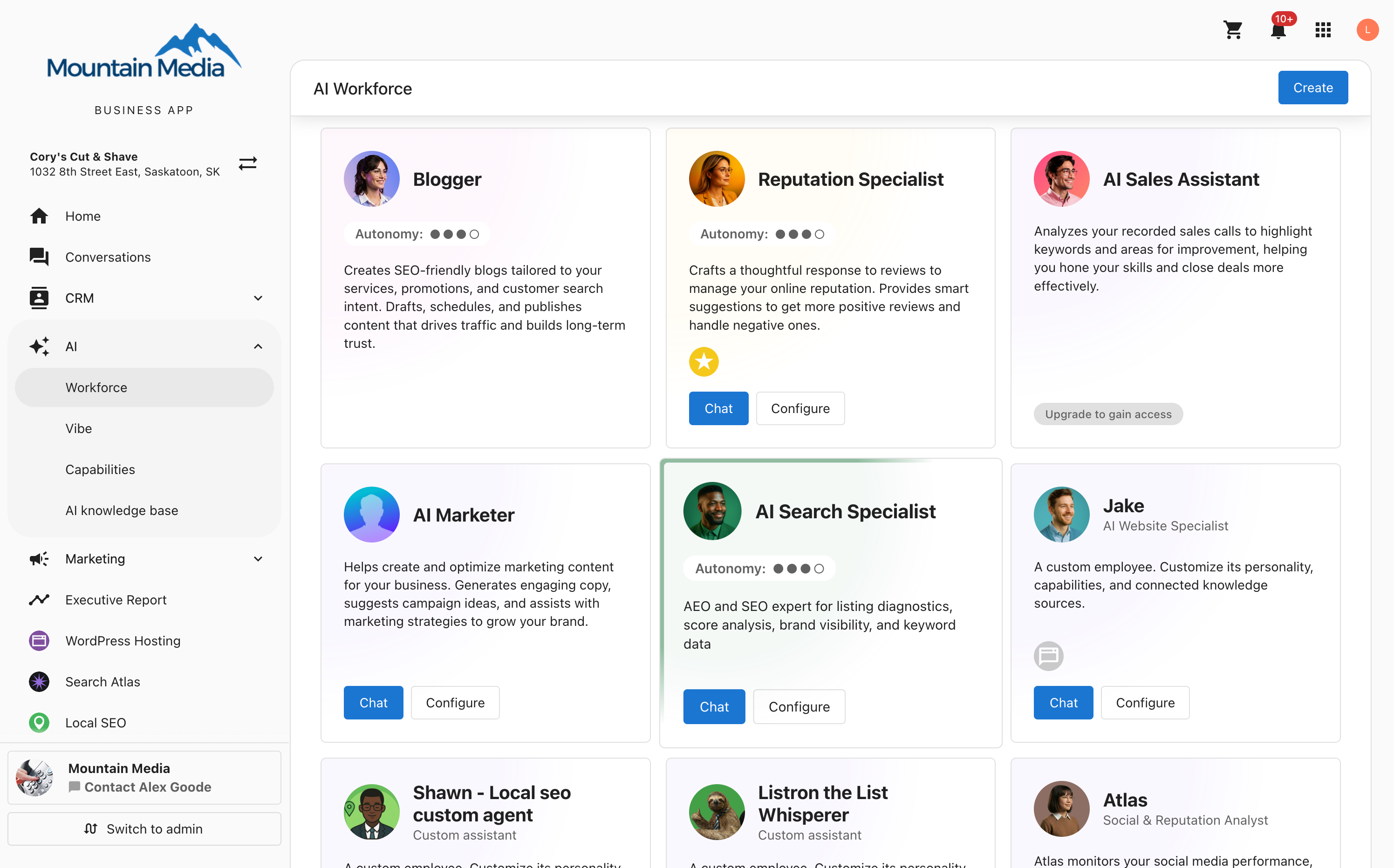
- Log in to Business App.
- In the left-hand navigation, go to
AI→Workforce. - Click
Chatto open the AI Search Specialist. - Type a question directly into chat, or click one of the three report chips:
Brand Visibility,AEO Audit, orSEO Audit.
How to run a report
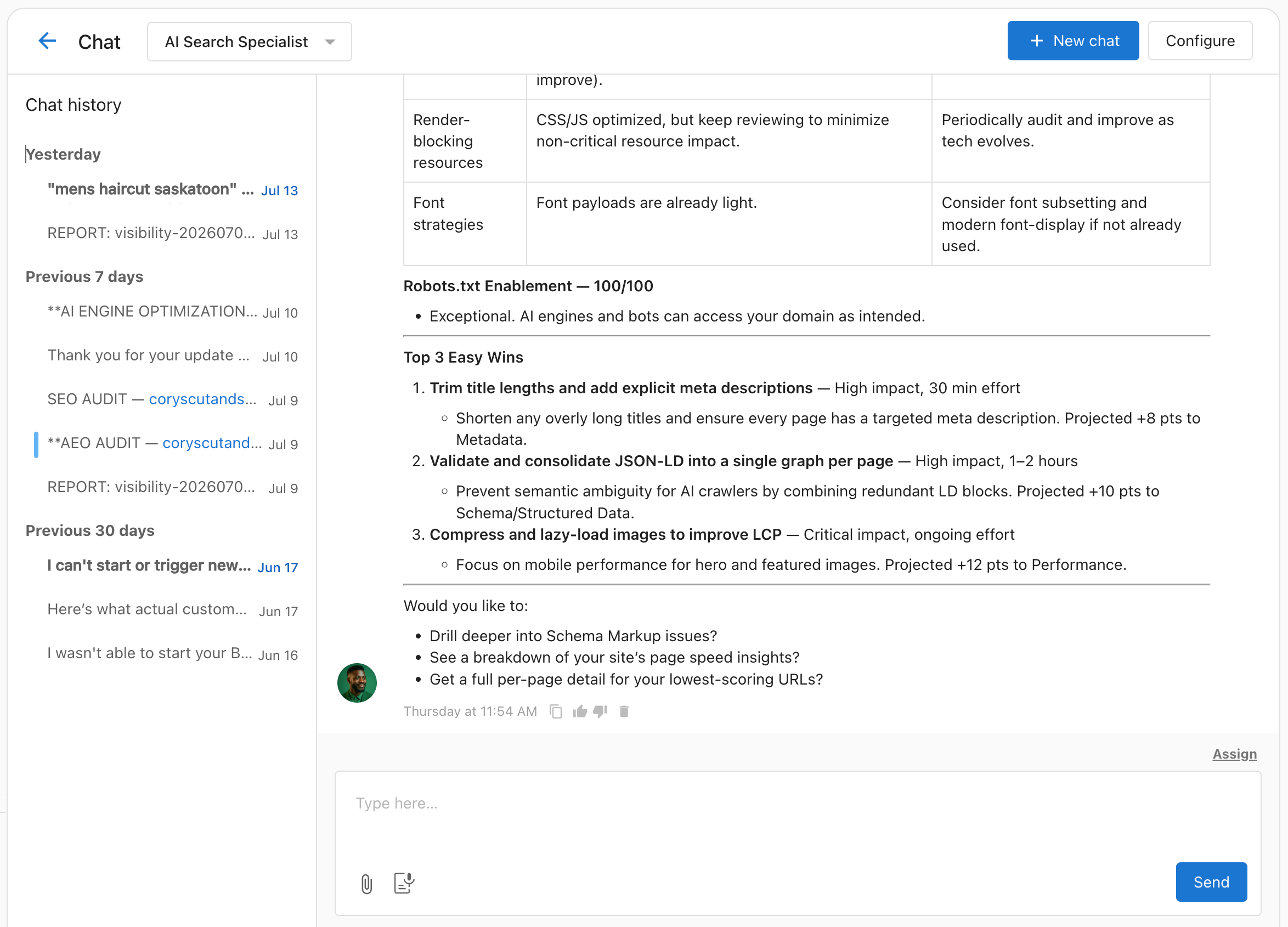
Brand Visibility, AEO Audit, and SEO Audit reports are user-initiated. They run only when you click a chip in the chat interface.
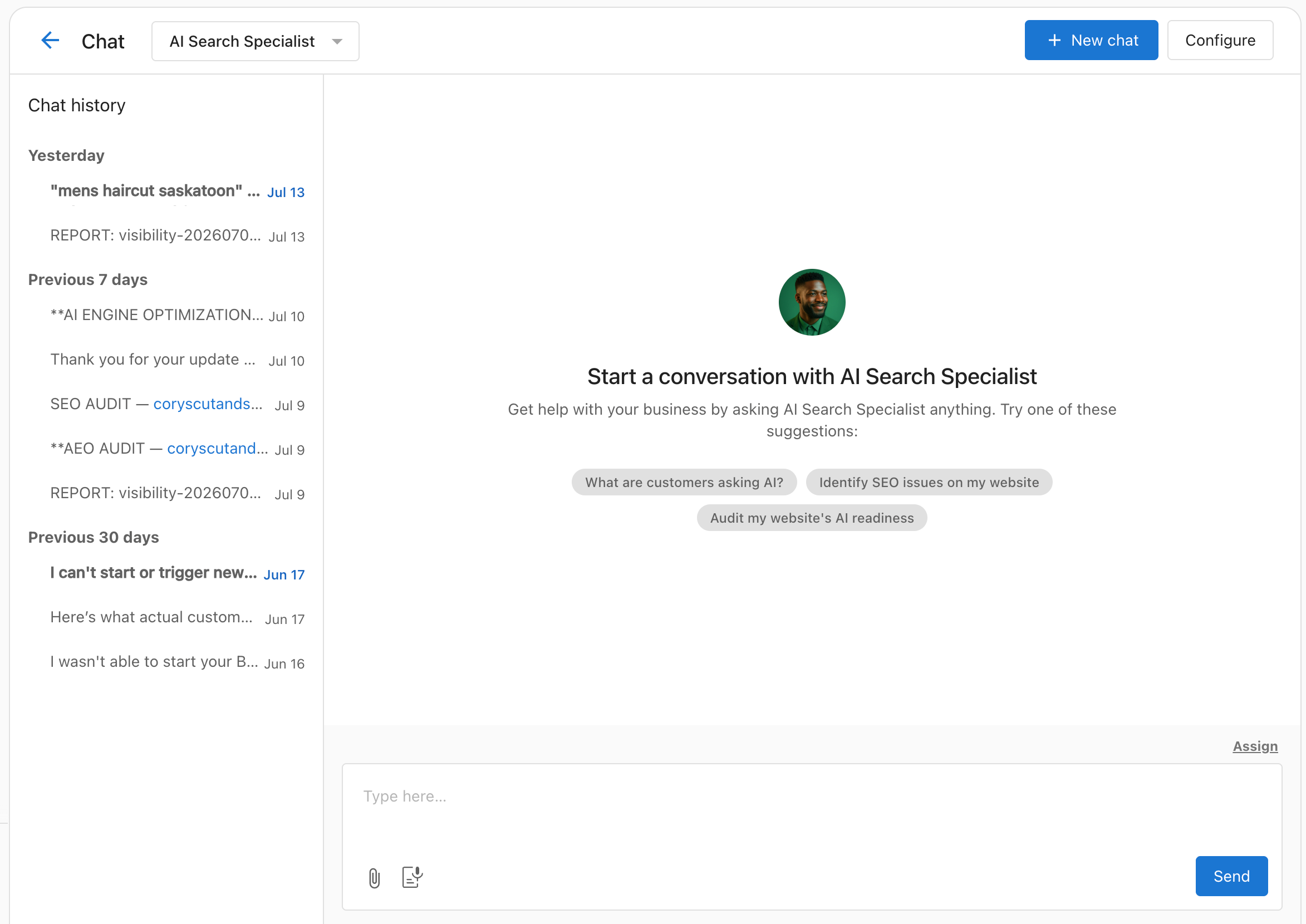
- Open the AI Search Specialist chat.
- Click the chip for the report you want (for example, "What are customers asking AI?" for Brand Visibility).
- The report runs in the background. This takes approximately 10 minutes.
A few things to know:
- Each report type is available once per month per account.
- If a teammate already ran a report this month, you'll see their existing report instead of triggering a new one. This is by design.
- If a report doesn't generate after 10 minutes, refresh the chat.
How Business Profile Optimization works
Business Profile Optimization runs automatically once you turn it on with a single click. It:
- Reviews your business profile data
- Fills in missing services, attributes, descriptions, payment methods, and service areas
- Syncs this data to your connected Google, Facebook, Bing, and Apple listings
You'll see optimization reflected in your listings over time, and you'll be notified any time your profile is updated. An activity log showing exactly what changed is planned for a future release.
Business Profile Optimization is turned off by default. Turn it on in the AI Search Specialist's configuration to let it run automatically in the background.
Business description updates
Business descriptions are reevaluated on a monthly schedule—no action is required from your clients. Whether a description is actually changed is an AI judgment call, not a guaranteed outcome: detecting a new service or tracked keyword doesn't automatically trigger an update.
Each month, the AI evaluates a client's existing description against:
- Their website and business profile content (services, specialties, voice)
- Tracked keywords and their search performance data
- Business category
The AI only updates a description when it judges there's a meaningful signal to act on—for example, new services, a niche specialty not yet in the description, or tracked keywords missing from it. To avoid changing a client's description too often, a description also has to have gone at least 90 days since its last update before it's eligible to change again—so a description updated within roughly the last 90 days generally won't be touched by this workflow.
When a description is updated:
- The client receives an AI Search Specialist: Profile Description Updated notification in Business App.
- The notification links to Business Profile so they can review the change.
- The updated description syncs to Google, Bing, Apple, and Facebook.
Clients can review and edit their description in Business Profile at any time.
Share feedback
The AI Search Specialist is actively being improved based on beta feedback.
- Use the thumbs up or thumbs down icon on any chat response.
- Reach out to your Vendasta partner with questions or escalations.
- Share product feedback through your usual Vendasta support channel.
FAQs
Is there any cost to me during the beta?
No. The AI Search Specialist open beta is included at no additional charge for all Local SEO Pro accounts. Your subscription price doesn't change.
What happens at the end of the beta?
These features move to the SEO AI Premium edition at general availability, targeted for later this year. You'll get advance notice and an option to upgrade to keep them. If you don't upgrade, your Local SEO Pro account continues as it is today.
Can I turn off Business Profile Optimization?
Business Profile Optimization is turned off by default. You can turn it on in the AI Search Specialist's configuration, and it will run automatically in the background.
Why did a client's business description change automatically?
The AI judged that recent changes—like new services, a specialty, or tracked keywords—were significant enough to warrant an update to the description. Direct clients to the notification in Business Profile to review the update.
Can clients undo an automatic description change?
Yes. Clients can edit or replace their business description in Business Profile at any time.
How often will Business Profile Optimization change a client's description?
The AI checks once a month, but updating the description is a judgment call, not a guarantee—and it also requires at least 90 days to have passed since the last update. Clients with stable services and keyword coverage, or whose description changed recently, may see infrequent or no changes.
My report hasn't generated after 10 minutes. What do I do?
Try refreshing the chat. If the report still hasn't generated after 15 minutes, contact support through the chat icon in Business App.
The AI Search Specialist gave me inaccurate information. How do I flag it?
Use the thumbs down icon on any response in the chat. You can also reach out to your Vendasta partner or contact support directly.
Will reports run automatically every month?
Not during the beta. Reports are user-initiated only and run when you click a chip. Automated monthly reporting is planned for SEO AI Premium at general availability.
I have multiple users on my account. Do we each get our own reports?
No. Reports are shared at the account level. If one user runs a report, everyone on that account can access the same result for that month.