Submit a Billing Request
If you think a charge on your Vendasta invoice is wrong, or you want to ask for money back, submit a billing request. It goes straight to our Finance team, who review every request and reply by email.
Submit at: billingrequests.vendasta.com
Before You Start
Have the following ready before you submit a request:
- Your Partner ID (PID)
- The Purchase ID for each charge you are asking about
- A short explanation of what happened
- Optional: screenshots, invoices, or emails that support your request
How to Submit a Billing Request
Find Your Partner ID
- Log in to Partner Center
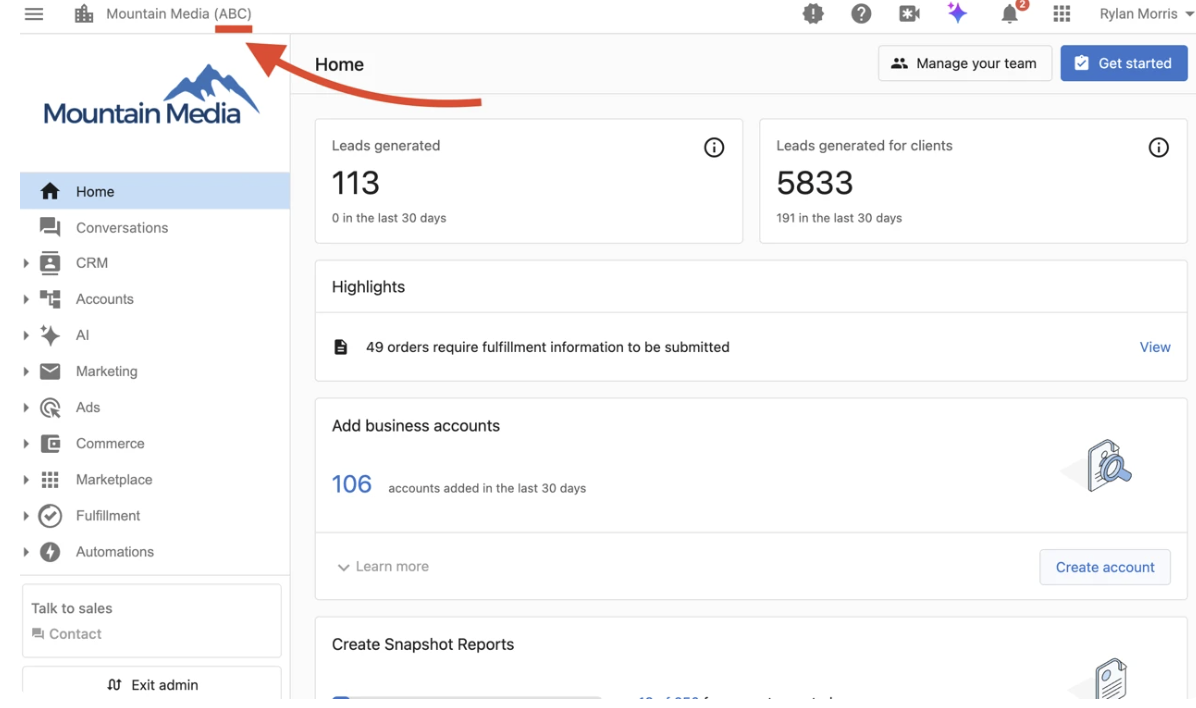
- Your PID appears in the top left corner on most pages, and in your browser's address bar
- Copy it into the Partner ID field on the form
Find Your Purchase ID
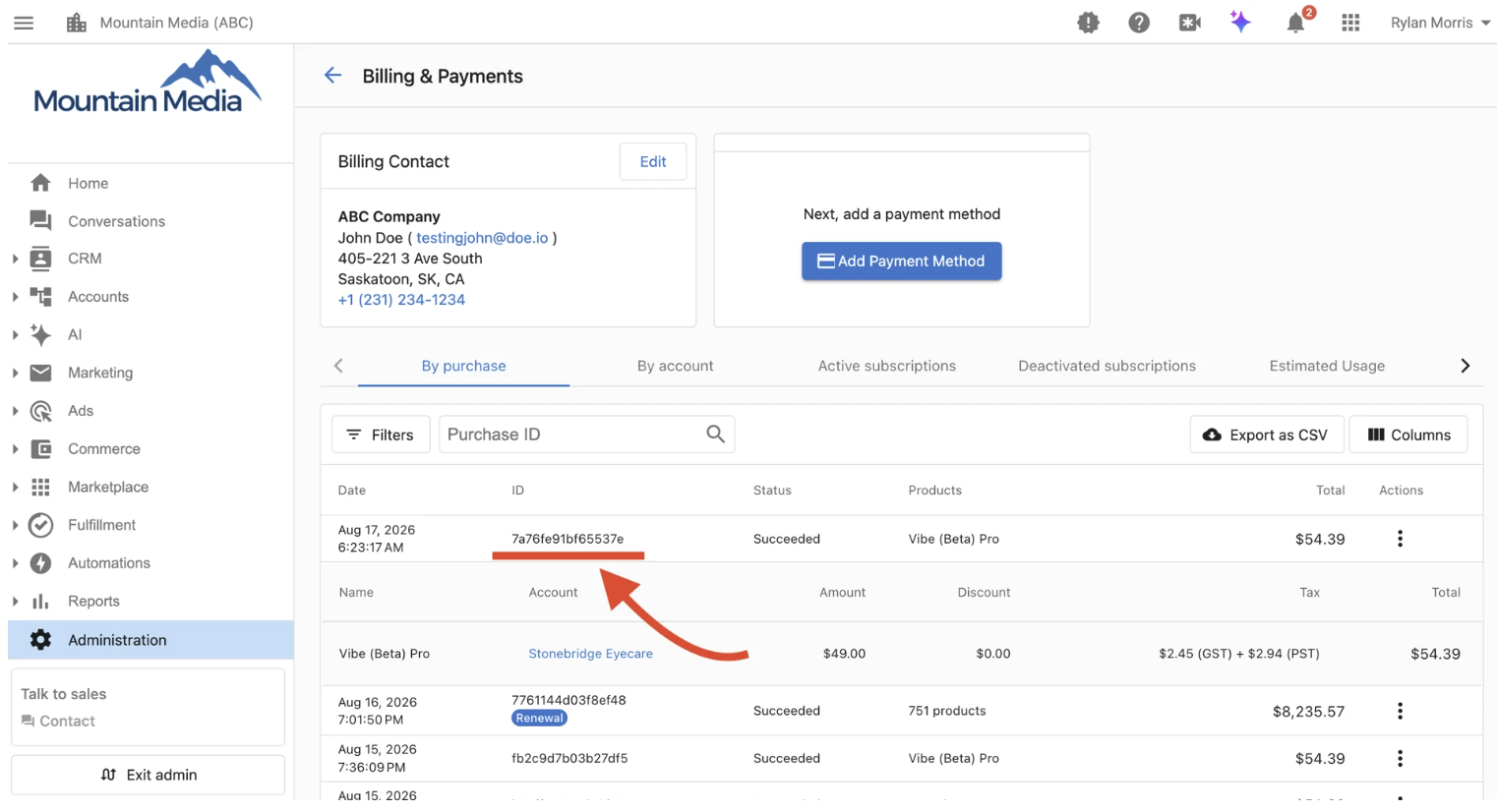
- In Partner Center, go to
Administration→My billing - Locate the charge you are asking about
- Copy its Purchase ID into the form
To include more than one charge, enter a Purchase ID, press Enter, and add the next.
Submit Your Request
- Go to billingrequests.vendasta.com
- Enter your business information, including your PID
- Pick the reason category that best matches: Activation error, Product failure / bug, Billing error / duplicate charge, Dissatisfaction, Cancellation within window, or Other
- Explain what happened, when, and what you expected instead — specific details get faster decisions
- Enter the amount. Your best estimate is fine; Finance confirms the final figure
- Attach anything that supports your request. Requests with evidence are processed faster
- Submit. You will see a confirmation with your request number (starts with CR). Keep it for any follow-up
What Happens Next
- You get a confirmation email with your CR number
- Finance reviews within 2 business days (up to 5 during busy periods) and emails you if they need more detail
- You get the decision by email with the outcome of the request
Eligibility
Eligibility and timelines are set by Vendasta's Terms of Service, available at trust.vendasta.com. If a charge looks wrong, submit a request as soon as you notice it.
FAQs
Can I include several charges in one request?
Yes. Enter each Purchase ID and press Enter between them.
Will I get money back?
Finance reviews every request and decides the outcome case by case. Submitting a request is not a guarantee it will be approved.
How long does a decision take?
Typically 2 business days, up to 5 during busy periods.
Do I need to upload documentation?
It is optional but strongly recommended. Requests with evidence are decided faster.
I activated a product by mistake. How do I request a refund?
Cancel or deactivate the product on the account first, then submit a billing request to Finance at billingrequests.vendasta.com with your Partner ID, Purchase ID, and a short explanation. Choose the activation-error reason when it fits. Submitting a request does not guarantee a refund; Finance reviews each case.