Billing Reports and Data
What are billing reports and data?
Billing reports and data in Partner Center show your billing history, upcoming charges, and account activity. Find monthly billing reports in Administration → Reports, upcoming renewals in Administration → My billing, and invoices in Administration → Financial Documents.
Why are billing reports important?
Billing reports help you:
- Track your spending and subscription costs
- Plan for upcoming expenses
- Analyze product performance and usage
- Maintain accurate financial records
- Access tax information for compliance
What you can do with billing reports
| Feature | Description |
|---|---|
| View Billing Reports | Access historical billing data and tax information |
| Check Upcoming Charges | See what you'll be billed for in the next cycle |
| Export CSV Data | Download detailed billing data for analysis |
| Monitor Active Products | Track renewal dates and subscription status |
How do I access billing reports?
Finding your billing reports
You can find your Billing Reports in Partner Center → Administration → Reports.
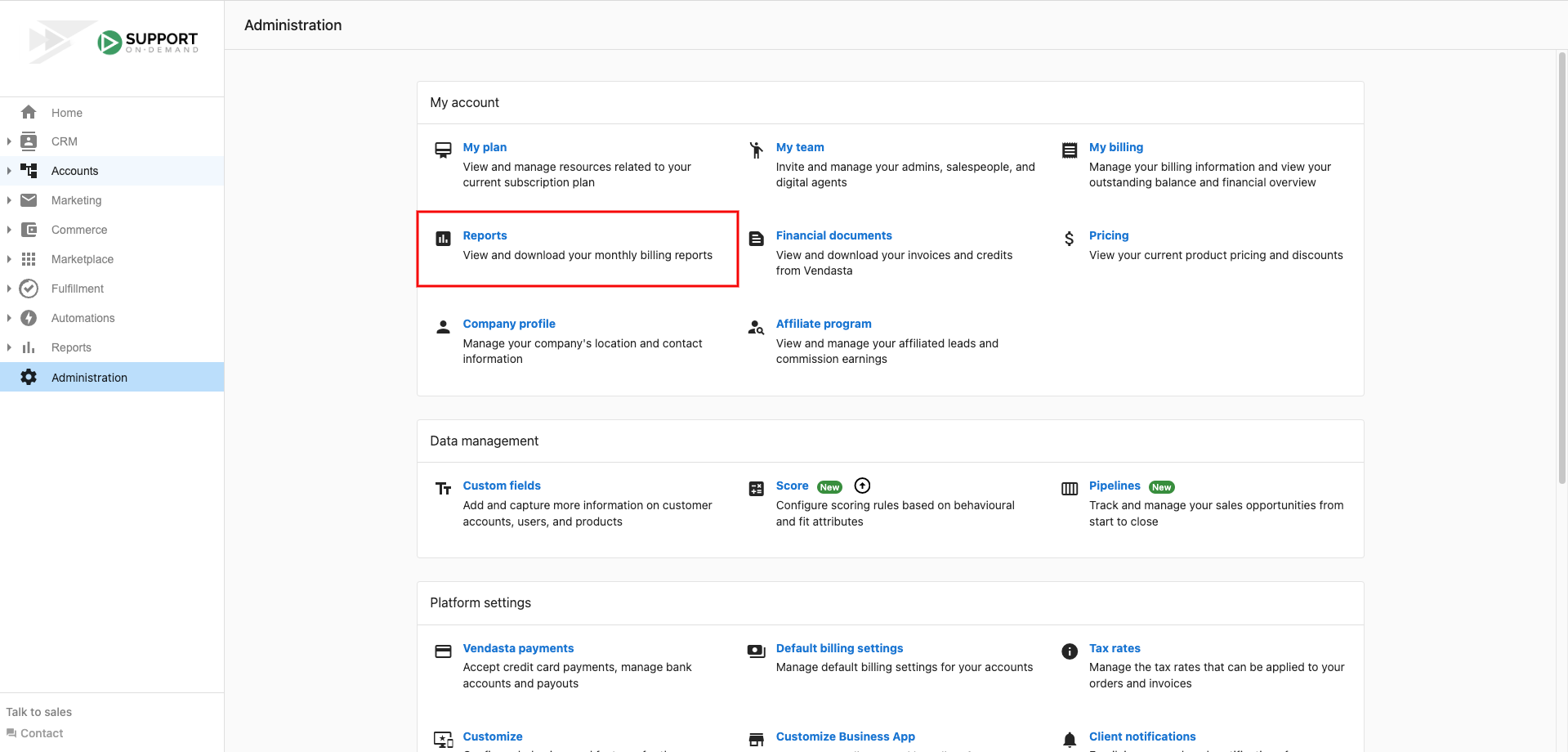
You can also find the sales tax collected reporting in this same location.
Exporting billing data as CSV
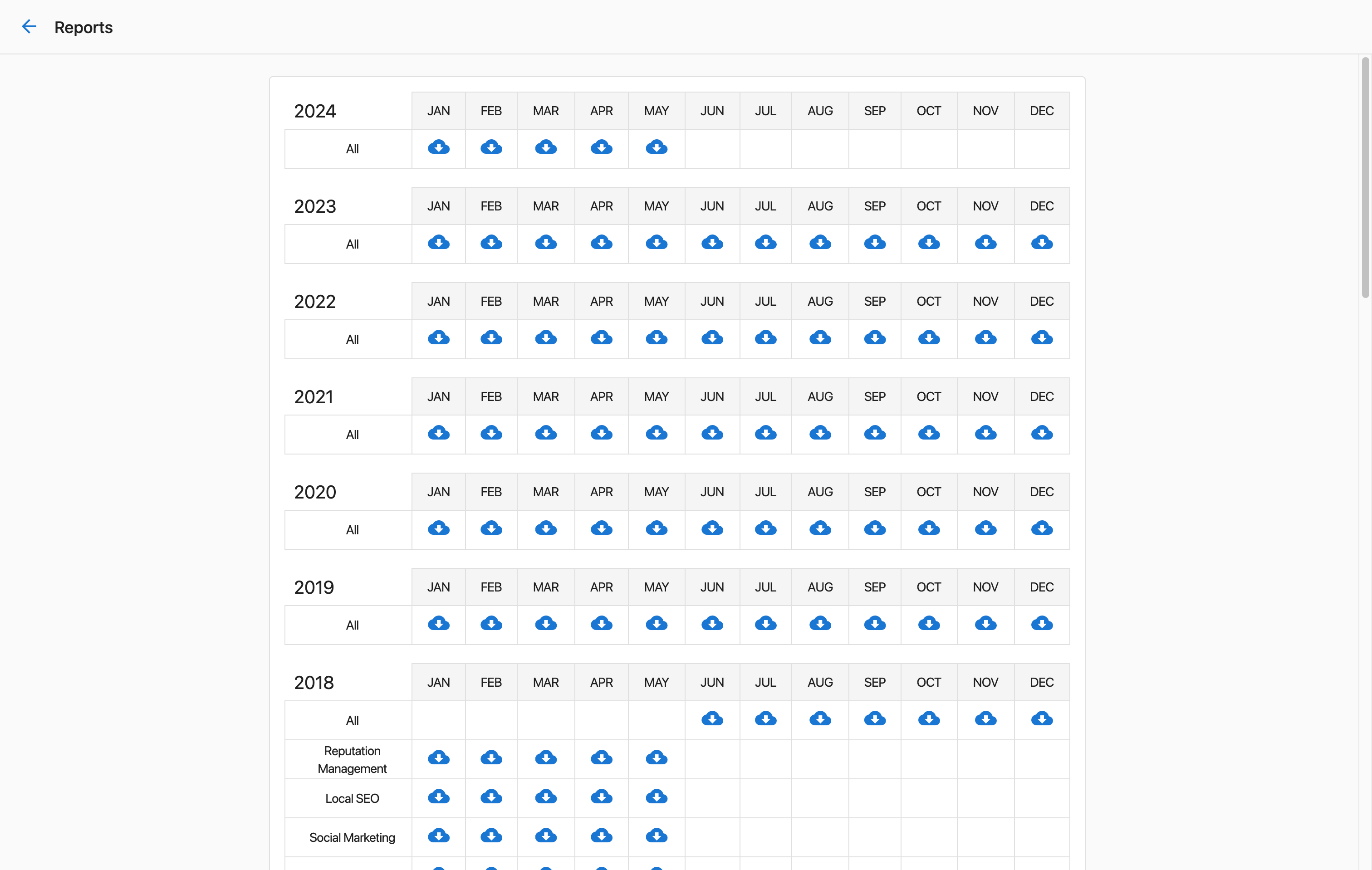
Partner Center admins who have access to Billing Reports can download billing data from Partner Center.
How do I download CSV reports?
- Go to
Administration→Reports - Click on
 beneath the month you want the report for
What's included in CSV reports
The resulting spreadsheet will include:
- Business details such as company name, address, and phone number
- Market name
- Product name
- Activation date
- Expiry date
How do I view upcoming billing charges?
Locating upcoming charges
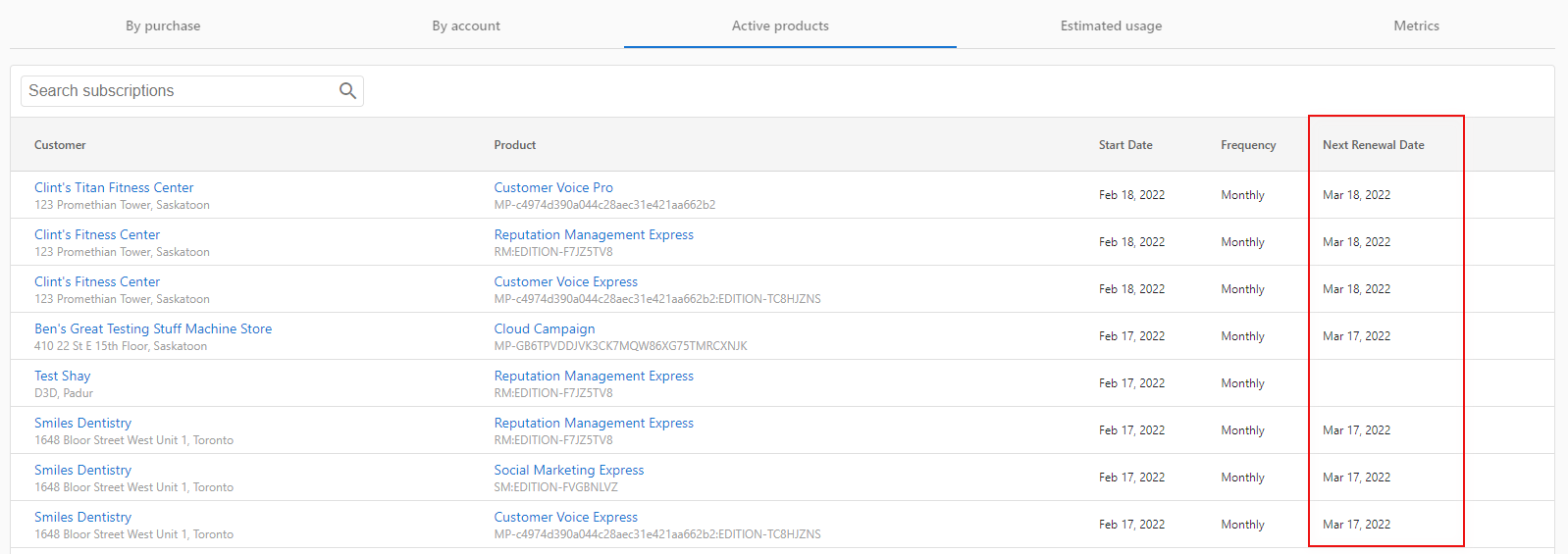
You can locate upcoming charges by following these steps:
- Navigate to
Partner Center→Administration→My billing - Under the
Active Productstab, you'll see a list of all active apps and services along with a column showing theNext Renewal date
Video walkthrough
How do I view and download invoices and credit memos?
Financial documents
Your invoices and credit memos are stored separately from the monthly billing reports. To access them:
- Navigate to
Partner Center→Administration→Financial Documents - Use the
Sales Invoicestab to view invoices, filter by date range or status, then download individual invoices as PDF - Use the
Credit Memostab to view credits issued for canceled products or services
How do I export a customized billing CSV?
You can filter and download billing data directly from the My billing page for a specific date range:
- Navigate to
Partner Center→Administration→My billing - Use the filter controls to set your desired date range
- Click the
Downloadicon to export the filtered data as a CSV
This is useful for reviewing charges over a custom period rather than a full calendar month.
How do I download my outstanding balance report?
To download a report of your current outstanding account balance:
- Navigate to
Partner Center→Administration→My billing - Click the
Download balance reporticon near the top of the page
Understanding your billing data
Active products overview
The Active Products section shows:
- All currently active applications and services
- Monthly renewal amounts for each product
- Next renewal dates for subscription planning
- Product status and billing frequency
Historical billing information
Your billing reports contain:
- Monthly invoices and charges
- Product activation and deactivation history
- Tax information and compliance data
- Detailed breakdowns by account and product
Billing data export options
CSV export benefits
Exporting billing data as CSV allows you to:
- Import data into accounting software
- Create custom reports and analysis
- Track spending trends over time
- Maintain detailed financial records
- Share billing information with stakeholders
Export file contents
Each exported CSV file includes billing details organized by:
- Business account information
- Product and service details
- Billing dates and amounts
- Market and territory information
FAQs
Where can I find my billing reports?
You can find your Billing Reports in Partner Center → Administration → Reports. This section also includes sales tax collected reporting.
How do I see what I'll be charged next month?
Navigate to Partner Center → Administration → My billing and click on the Active Products tab. This will show all active apps and services with their next renewal dates and amounts.
Can I export my billing data?
Yes! Partner Center admins with access to Billing Reports can download CSV files by going to Administration → Reports and clicking the export icon beneath the month you want to download.
What information is included in the CSV export?
The CSV export includes business details (company name, address, phone), market name, product name, activation date, and expiry date for each billing item.
How often are billing reports updated?
Billing reports are generated monthly. Current month activity is reflected in the Active Products tab, while historical data is available in the Reports section.
Can I access tax information in my billing reports?
Yes, sales tax collected reporting is available in the same location as your billing reports under Partner Center → Administration → Reports.
How far back can I access billing reports?
Historical billing reports are maintained in your Partner Center account. The exact retention period may vary, but you can access reports for previous months through the Reports section.
Who can access billing reports and export data?
Only Partner Center admins who have access to Billing Reports can view and download billing data. Check with your account administrator if you need access to these features.
Can I get an official financial report for taxes or a loan application?
There is no single official financial report generated by the platform for tax or loan purposes. However, you can compile the information you need by:
- Filtering your
Sales InvoicesinAdministration→Financial Documentsby date range and downloading paid invoices as PDFs - Exporting a customized billing CSV from
Administration→My billingusing the date-range filter and download icon
These exports represent the most complete billing data available from Partner Center for a given period.
What is the difference between Billing Reports and Financial Documents?
Billing Reports (Administration → Reports) are monthly CSV exports showing product-level billing activity: useful for analyzing product usage and spend.
Financial Documents (Administration → Financial Documents) contain your formal invoices and credit memos in PDF format: useful for accounting, record keeping, and sharing with clients or accountants.