My Plan
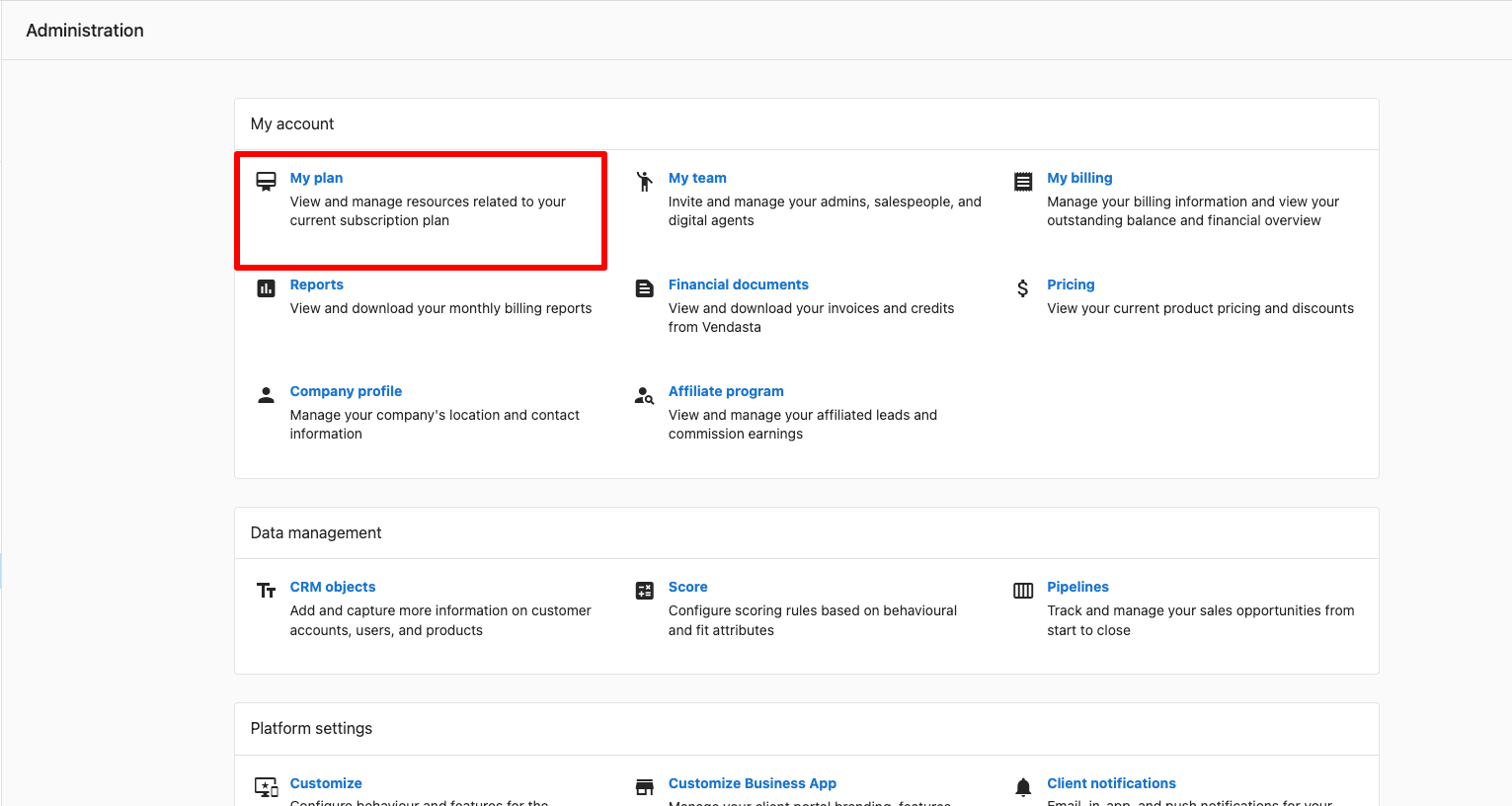
To view your Vendasta plan, go to Administration → My Plan in Partner Center. To cancel a Starter, Startup, or Individual plan, submit the cancellation form at least 48 hours before renewal; contracted plans are canceled through your Account Manager. This page also covers usage limits and trial subscriptions.
How do I view my Vendasta plan details?
You can view your subscription plan details in Partner Center, including your current plan, billing frequency, and next billing date. You can also view how much of your plan limits you've used and how many free items are remaining, details about upgrades, and other plans by clicking Compare Plans in Partner Center → Administration → My Plan.
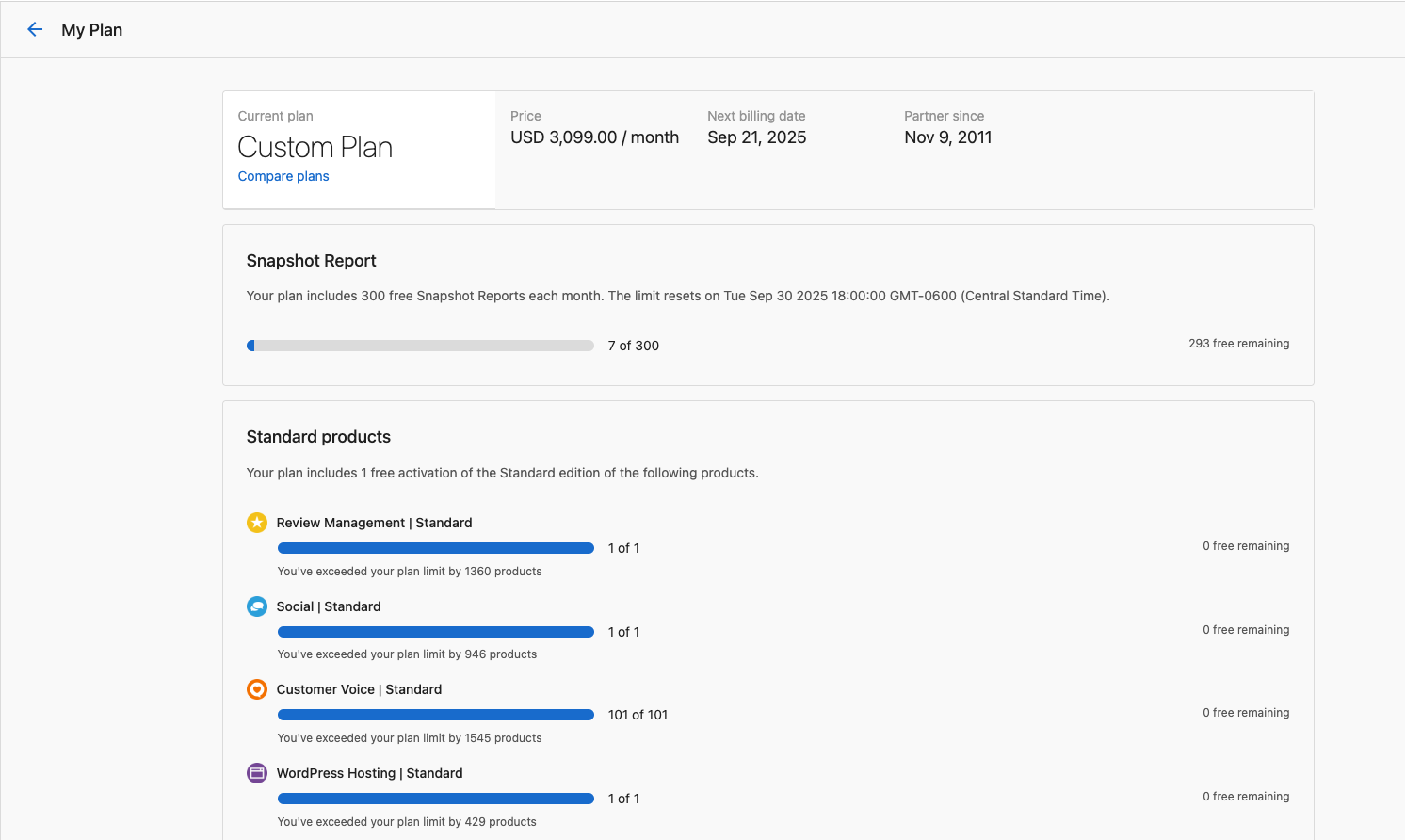
How does it work? Access this page from Partner Center → Administration → My Plan.
What happens when my Vendasta trial ends?
Partners may receive a trial subscription from a Vendasta representative, providing limited-time access to higher-tier features.
- The trial can be canceled at any time prior to the expiry date set by your Vendasta representative. At the time of cancellation, the Sales representative will confirm which Admin to leave on the account and remove all other admins.
- If a contract is signed while the partner is still on a trial, the trial will be canceled first before the contract is processed.
- If the trial expires and the partner does not sign a contract, access reverts to the standard Free tier.
For questions about your trial, contact your assigned Client Success team in the bottom left corner of Partner Center.
How do I cancel my Vendasta subscription?
Starter, Startup, or Individual plans
Partners on a Starter, Startup, or Individual plan can cancel their subscription by filling out this form.
Cancellations must be submitted 48 hours prior to renewal to avoid additional subscription charges and are processed within 2 business days.
Important notes after cancellation:
- Accounts with paid apps and services continue to renew and can still be used until canceled.
- Standard products in excess of one become billable upon renewal.
- Accounts with active billing automations continue to bill and collect unless you toggle them off.
- Additional team member seats continue to bill unless you delete them from Partner Center.
Contracted plans
To cancel or downgrade a contracted subscription, speak with your Account Manager or email support@vendasta.com for guidance.
You continue to be charged for active products and subscriptions for the committed length of your contract terms. Refer to the Terms of Service and deactivate products to avoid unnecessary charges.
If you have questions about your plan or need to make changes to your subscription, contact our support team.
Frequently asked questions
Where is the cancellation form for my Vendasta plan?
Partners on a Starter, Startup, or Individual plan cancel with this cancellation form. Submit it at least 48 hours before renewal; cancellations are processed within 2 business days.
How do I cancel a contracted Vendasta plan?
Speak with your Account Manager or email support@vendasta.com. You're charged for active products and subscriptions for the committed length of your contract.
Do my clients' products and billing stop when I cancel my plan?
No. Paid apps and services keep renewing until you cancel them, and active billing automations keep billing unless you turn them off. Additional team member seats also keep billing until you delete them.
What happens if my trial expires without a contract?
Your access reverts to the standard Free tier.
Where can I compare Vendasta plans?
Click Compare Plans in Administration → My Plan to see your usage, remaining free items, and details about other plans.
What is the difference between the Free plan and Starter?
The Free plan gives limited platform access for exploring and reselling, but wholesale costs and available products can be more restricted. Starter is the entry paid partner plan: it is co-branded (not full white-label), billed month to month, and keeps Marketplace, CRM, and AI access that Free may limit. Voice receptionist is not included as part of the partner platform on Starter. Check Administration → My Plan for the current offer and pricing on your account.