Tips for a Successful Campaign
You want your client's Specialty Ad Campaign to succeed as quickly as possible. During the first month of the campaign, the advertising platform and our specialists are going through a learning phase to understand and optimize the ad. Here's what you can do to help your client's ad succeed as quickly as possible.
Consider doing a promotion
Adding a promotion or a sale can incentivize potential customers to click on your client's ad. Let us know if your client's promotions change so that we can incorporate them into an ongoing campaign.
Add the Google Tag Manager code to your client's website
Our team will provide a code that can be added to your client's website. Including this code on the website allows us to improve tracking and boost the ad's performance over time.
If we're managing your client's website, we can do this for you.
Accept your client's Facebook page access request
If your client is running Facebook ads, accepting the request quickly will ensure the ads are ready to go as soon as possible. Follow these steps:
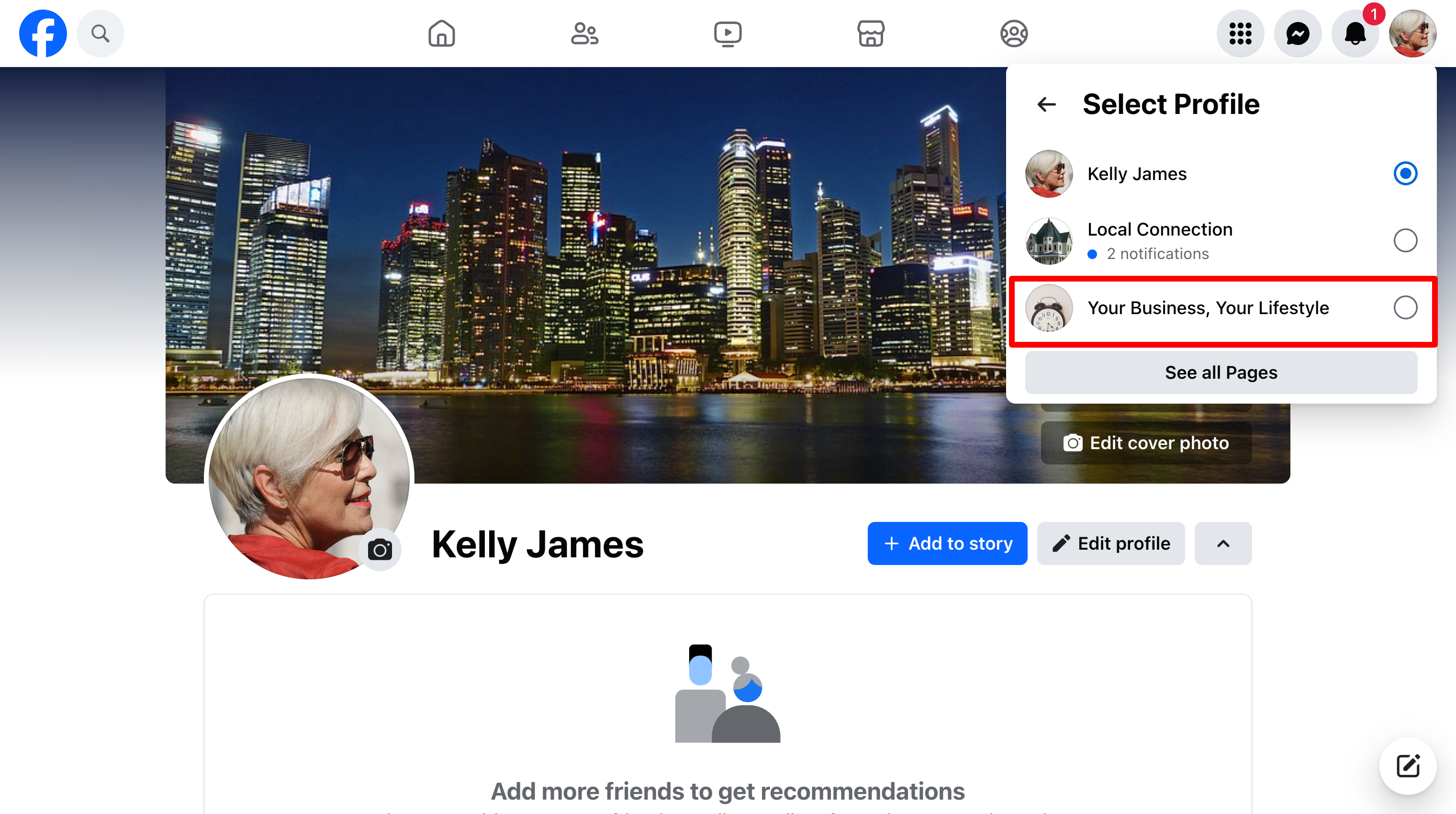
Log in to Facebook and switch your profile to your client's business page.
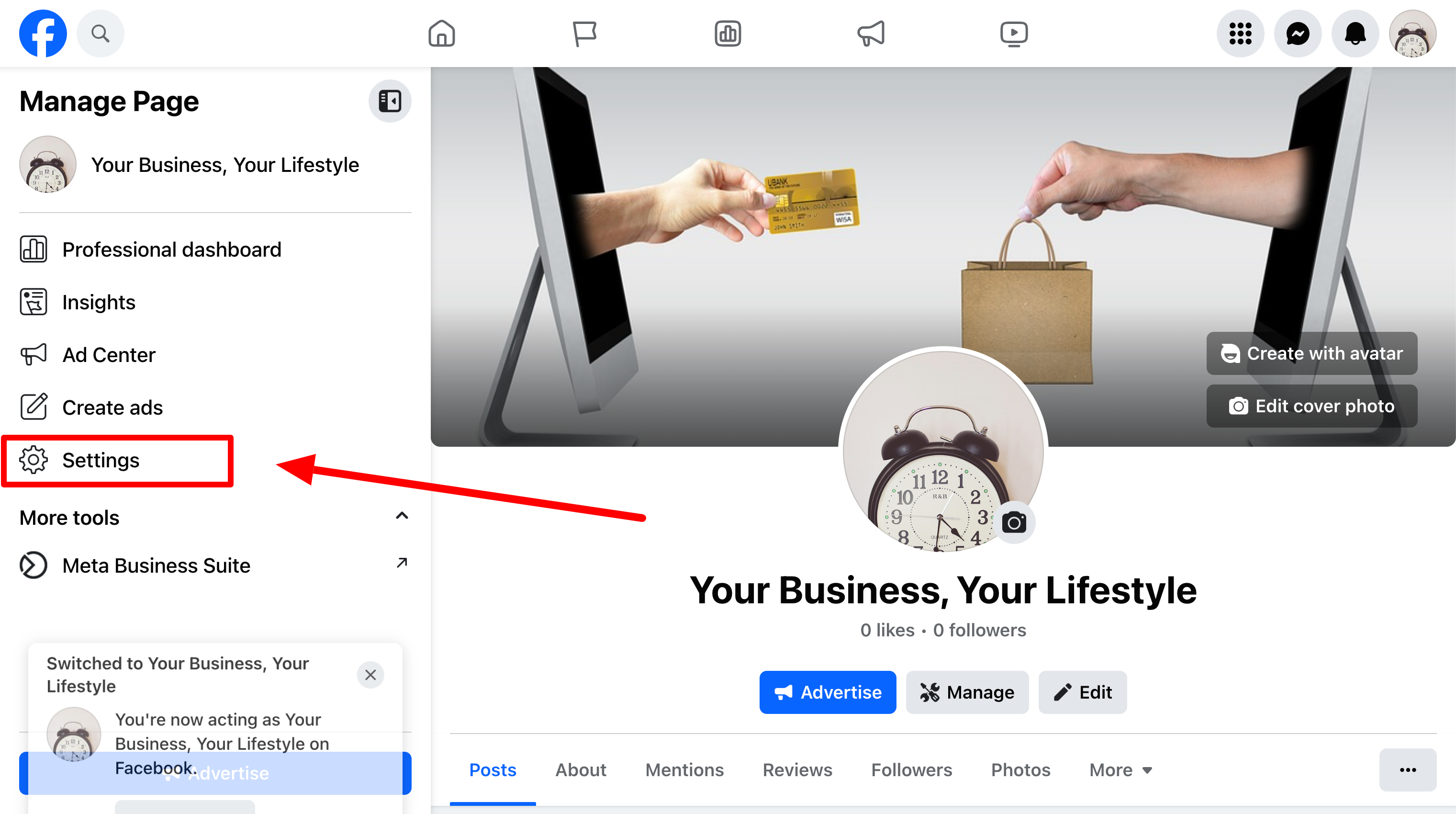
Once switched, you should appear on Manage Page.
Click Settings.
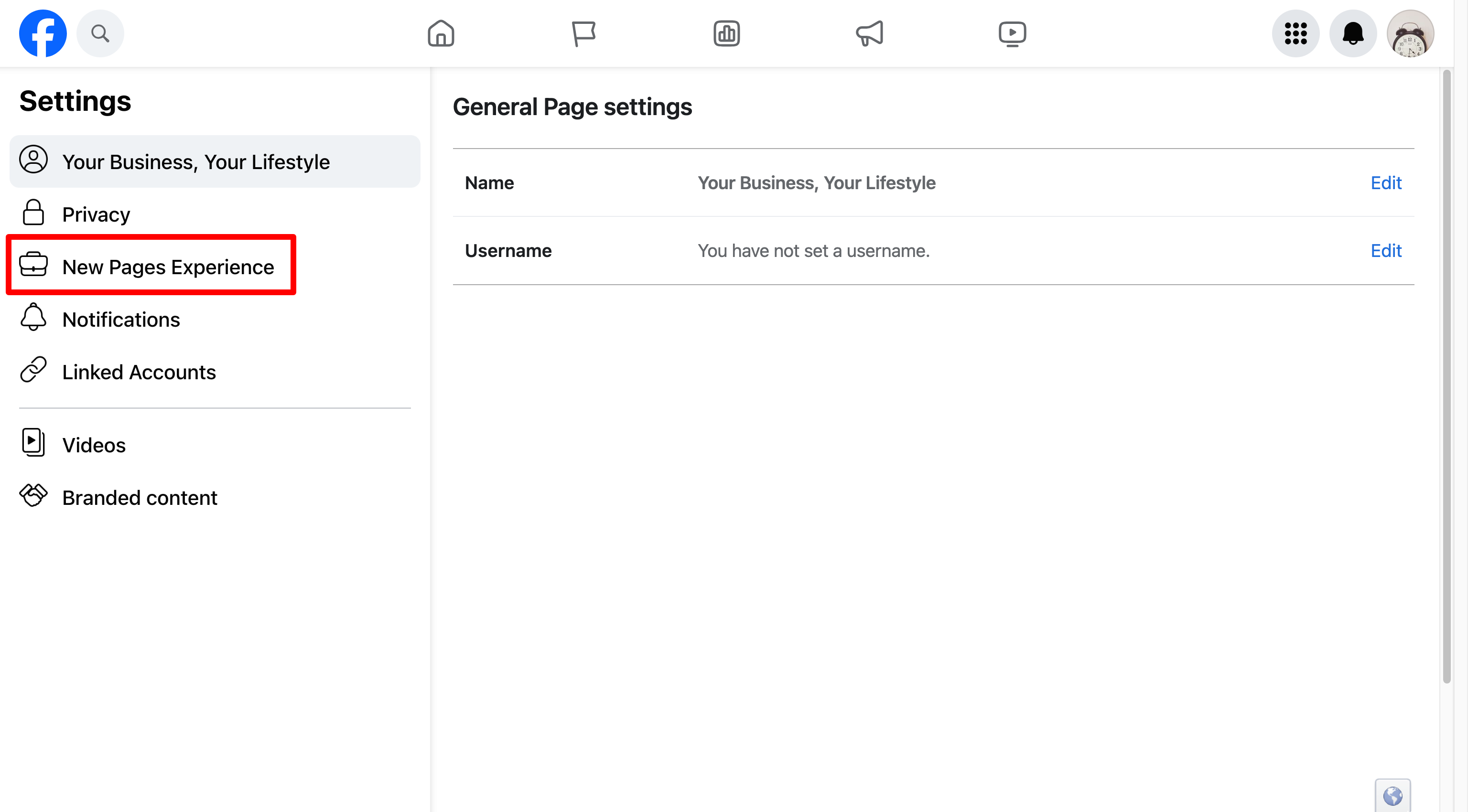
Now click on New Page Experiences
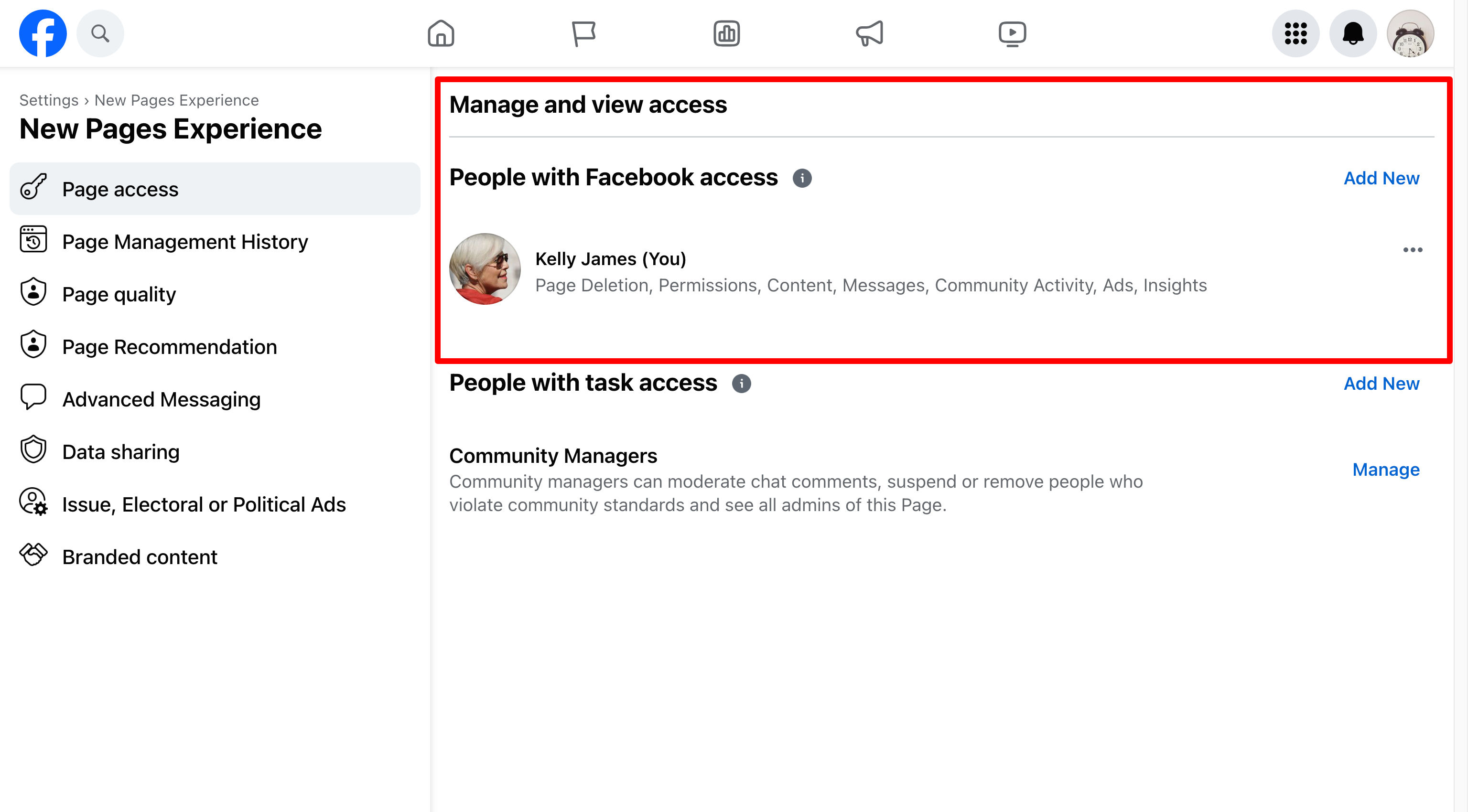
You'll see a section for Page Access and inside of it you may see an access request from Vendasta Services or Digital Agency.
Accept the request.