Multi-Location Notifications
Understanding multi-location notification limitations
Multi-location groups do not have built-in user notifications. Notifications in the Vendasta platform only work at the individual location level. This means:
- Users will receive separate notifications from each individual location in their group
- There are no consolidated multi-location digest emails or executive reports
- Partners need to create custom solutions for multi-location communication
Create custom multi-location notifications using Automations
Overview
Since there are no built-in multi-location notifications, you can create custom executive report reminders using Vendasta's Automations platform. This approach allows you to:
- Send personalized, branded emails to multi-location clients
- Consolidate multiple location notifications into one monthly reminder
- Direct clients to their multi-location executive reports and dashboards
- Maintain regular engagement while reducing email noise
Implementation steps
Step 1: create a custom email template
- Navigate to
Automationsin your Partner Center - Create a new email template with:
- Hard-coded content specific to your client/brand
- Brand name and personalized messaging
- Direct link to their multi-location business app report
- Clear call-to-action to review the dashboard
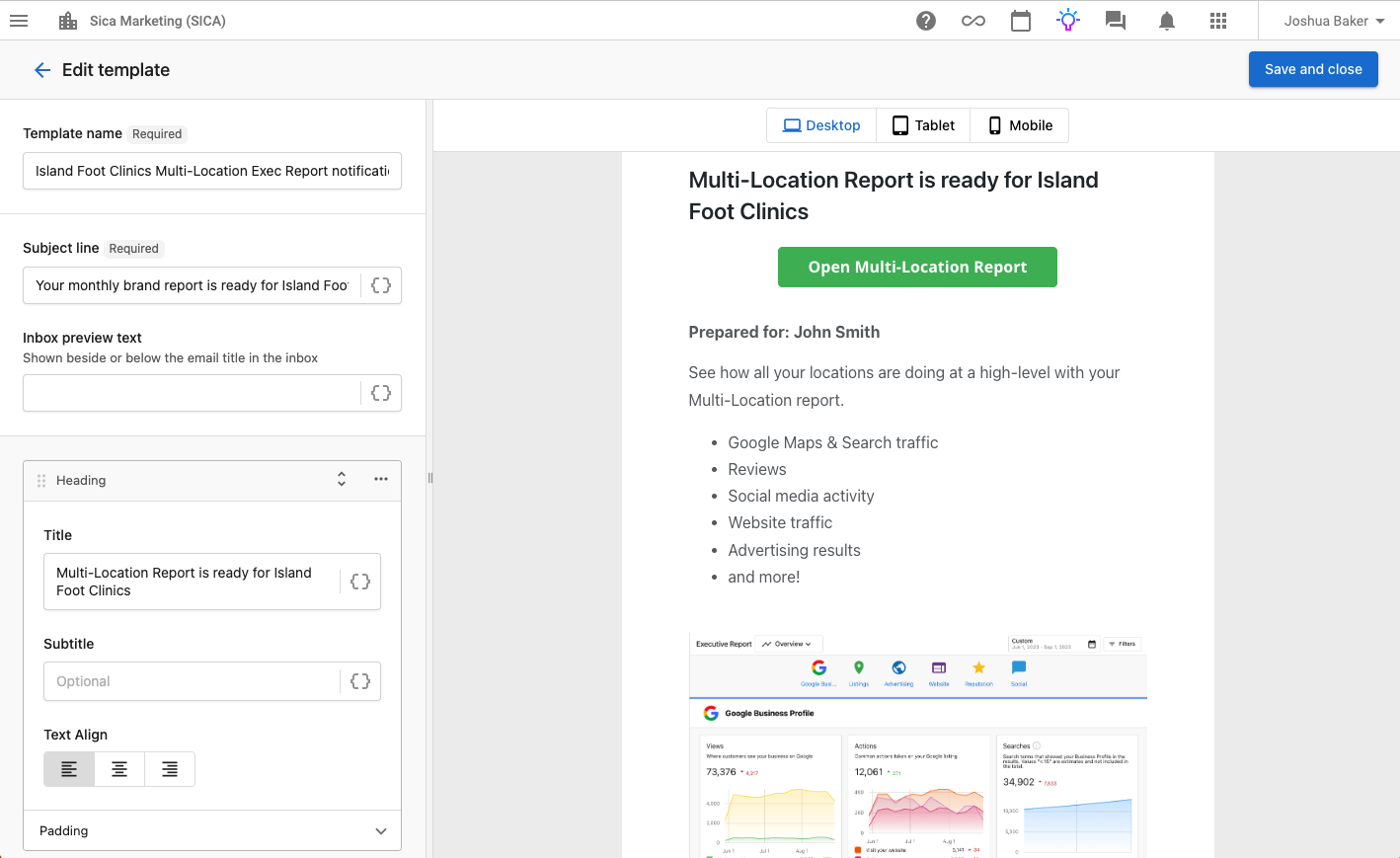
Example of a custom multi-location executive report email template with personalized branding and direct link to the dashboard.
Step 2: set up the automation
- Create a new automation, with trigger
Manually started - Use the
Delay until certain day of monthautomation step, and set to send at the beginning of each month (e.g., 2nd of the month) - Add a step to send your custom notification email campaign
Step 3: configure account settings
- Start the automation from the account designated as "headquarters" for the multi-location group
- Remove clients from individual location executive report notifications to reduce noise
- Test the automation with a small group first
Real-world case study
Client: 22-location podiatry clinic
Approach: Custom monthly multi-location executive report reminder
Results:
- Reduced email noise from 22 messages to 1 consolidated notification
- Increased engagement with multi-location reporting
- Demonstrated ongoing partner value through personalized communication
- Improved client satisfaction with streamlined reporting
Best practices
Email content guidelines
- Personalize with client's brand name and specific messaging
- Include direct links to their multi-location dashboard
- Highlight key value points you're delivering
- Use clear call-to-action language
- Keep content concise but informative
Automation management
- Start automation from the designated "headquarters" account
- Use monthly scheduling rather than rolling 30-day cycles
- Monitor delivery rates and engagement
- Regularly review and update email content
Client communication
- Inform clients about the new notification system
- Explain how it replaces individual location emails
- Provide clear instructions for accessing reports
- Set expectations for timing and frequency
Scaling your notification strategy
As you implement this solution across multiple clients, consider these approaches:
- Create template variations for different client types and industries
- Develop standard messaging frameworks that can be quickly customized
- Build automation libraries for rapid deployment to new clients
- Train team members on setup and customization processes
- Document client preferences to streamline personalization
Troubleshooting
Common issues
Automation Not Starting
- Verify you're starting from the correct headquarters account
- Check that the account has proper multi-location group assignment
- Ensure email template is properly configured
Emails Not Delivering
- Confirm recipient email addresses are current
- Check spam filters and email deliverability
- Verify automation scheduling settings
Multiple Multi-Location Groups
- Choose the primary group for notifications
- Consider separate automations for different business segments
- Document which group each automation serves
Support resources
- Contact Vendasta Support for automation troubleshooting
- Review Automations documentation for advanced features
- Join the Partner Community for best practice sharing
This solution requires manual setup and customization for each client. While not as automated as built-in platform features, it provides partners with the flexibility to create personalized, valuable communication with their multi-location clients.
Next steps
- Review your multi-location clients - Identify those who would benefit from consolidated notifications
- Plan your email content strategy - Develop templates and messaging frameworks
- Set up test automations - Start with one client to refine the process
- Scale gradually - Roll out to additional clients based on success and feedback
- Monitor and optimize - Track engagement and adjust content/timing as needed
By implementing custom multi-location notifications, partners can provide more value to their clients while reducing notification fatigue and demonstrating ongoing engagement with their multi-location performance.