Data Exporter
Users of the Multi-Location Business App can export review, NPS, listing, or Google Business Profile data to a CSV for workflows, auditing, and internal reporting across many locations.
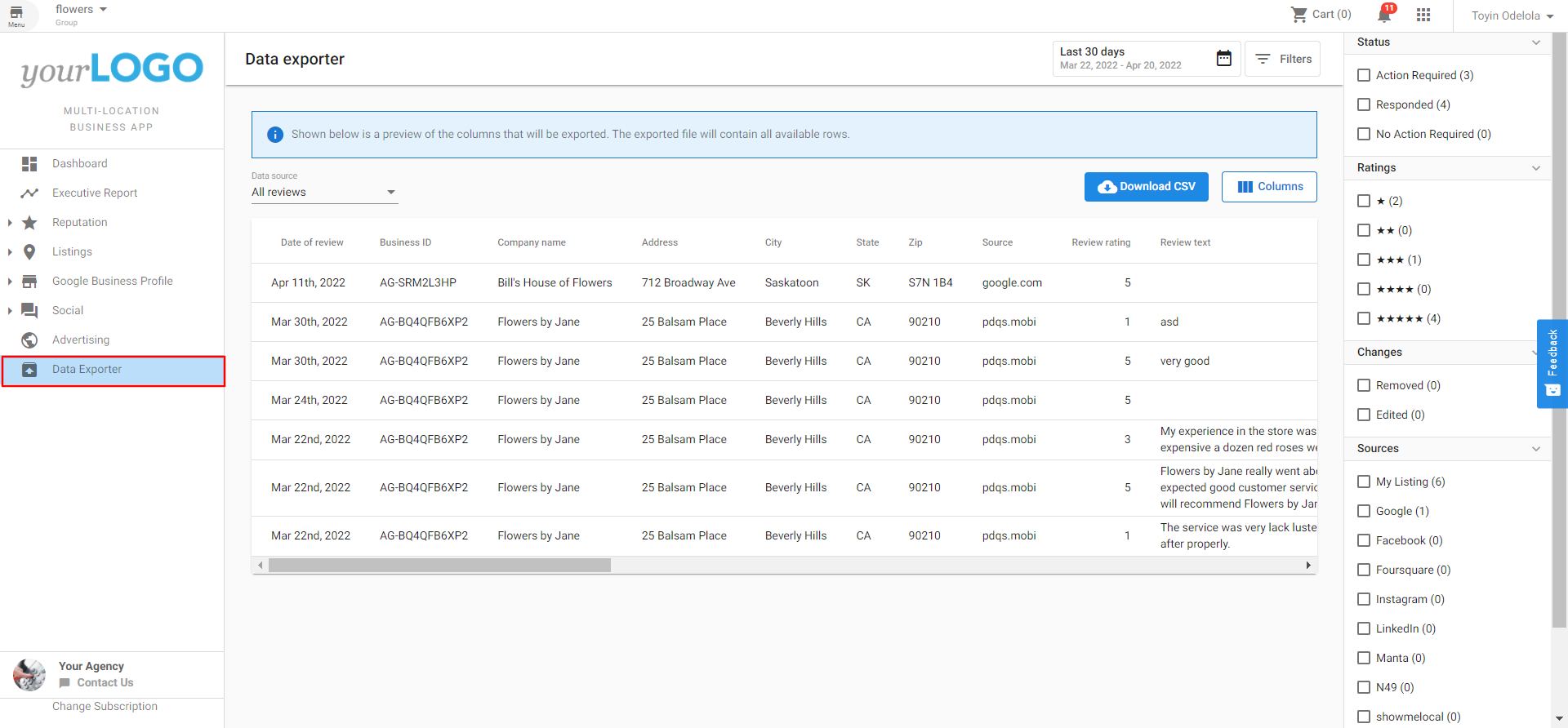
In Multi-Location Business App, go to Data Exporter in the left navigation menu. In Data source, choose one of the available export types:
- All reviews
- Review summary by source
- Net Promoter Score (NPS)
- Google Business Profile summary
- Listing data
After you select a data source, set any filters you need and then select Export data to CSV.
Export NPS data
Select Net Promoter Score (NPS) in Data source to export NPS data to CSV.
NPS exports:
- Include NPS-specific columns in the table and CSV output.
- Support the same filtering approach as review exports.
- Include a page filter for exporting data by page context.
- Are visible only when NPS export is enabled for the account. Users of the Multi-Location Business App can export review, NPS, listing, or Google Business Profile data to a CSV, to allow flexibility in workflows, auditing, and internal reporting for many locations.
In Multi-Location Business App, go to Data Exporter in the left navigation menu. In Data source, choose one of the available export types:
- All reviews
- Review summary by source
- Net Promoter Score (NPS)
- Google Business Profile summary
- Listing data
After you select a data source, set any filters you need and then select Export data to CSV.
The Data Exporter can be enabled or disabled on a group-by-group basis for all users. In Partner Center, go to Accounts, open Multi-location Groups, choose a group, open Features, and toggle the feature on or off.
Export NPS data
Select Net Promoter Score (NPS) in the data source dropdown to export NPS data to CSV.
NPS exports include a page-level filter so you can export data for the same page context used in NPS reporting.
Like review exports, NPS exports support filters to narrow the dataset before exporting.
The exported CSV includes NPS-specific columns, such as score classification (promoter, passive, detractor), score value, feedback details, and related location data.
Data Exporter
Users of the Multi-Location Business App can export review, listing, or Google Business Profile data to a CSV, allowing flexibility in workflows, auditing, and internal reporting across many locations.
Exporting data
Configuration
The Data Exporter can be enabled or disabled on a group-by-group basis for all users:
- In Partner Center, go to Accounts and open Multi-location Groups.
- Select a group.
- Open Features.
- Toggle Data Exporter on or off.
- In the Multi-Location Business App, navigate to Data Exporter in the left-hand navigation menu.
- Click the data source drop-down and choose from:
- All reviews
- Review summary by source
- Google Business Profile summary
- Listing data
- Use the filter options to customize the data you want to export.
- Click Export data to CSV.
Configuration
The Data Exporter can be enabled or disabled on a group-by-group basis by navigating to Partner Center → Accounts → Multi-location Groups → choose a group → Features, then toggling the feature on or off.