CalendarHero
CalendarHero is a legacy scheduling product. This documentation is maintained for historical reference for partners who may still have active CalendarHero subscriptions.
CalendarHero was a scheduling and calendar product that let clients offer online booking, meetings, and reminders through the Business App. It supported a free plan (one-on-one meetings, one meeting type) and a Team plan (group meetings, multiple types, SMS reminders, custom branding).
What is CalendarHero?
CalendarHero provided online scheduling and calendar integration for Vendasta clients. Users could access it via Business App → CalendarHero after the product was activated for the account. It offered:
- Free plan – One-on-one meetings, one meeting type, Outlook and Google Calendar integrations, included with the platform subscription.
- Team plan – Group meeting types, multiple meeting types, SMS reminders, confirmation emails, and custom branding.
CalendarHero Free was included with the platform subscription and automatically enabled in each Business App. No additional setup was required. Partners could activate it for many accounts at once using account lists and Activate Product in Partner Center. See Getting Started with CalendarHero for step-by-step instructions.
For product support, email hello@calendarhero.com.
Frequently asked questions
How does a Business App user access CalendarHero?
Create a Business App user in Partner Center with CalendarHero activated for the account. The user signs in to Business App and selects CalendarHero in the left navigation. Their CalendarHero account is created automatically and they can set up their calendar and meeting links.
Can CalendarHero accounts sign in to CalendarHero directly?
Yes. Once a CalendarHero account has been created by logging into Business App → CalendarHero, clients can access the same account by signing in to CalendarHero directly, as long as they use a Google or Microsoft account with the same email address they used in Business App.
How do I activate CalendarHero for all my client accounts?
Enable the product via Start Selling, create an account list, then use the kebab menu next to the list and choose Activate Product. Search for and select CalendarHero, then click Activate.
How do I replace users on CalendarHero Team seats?
Team plan administrators manage members from the CalendarHero Users page.
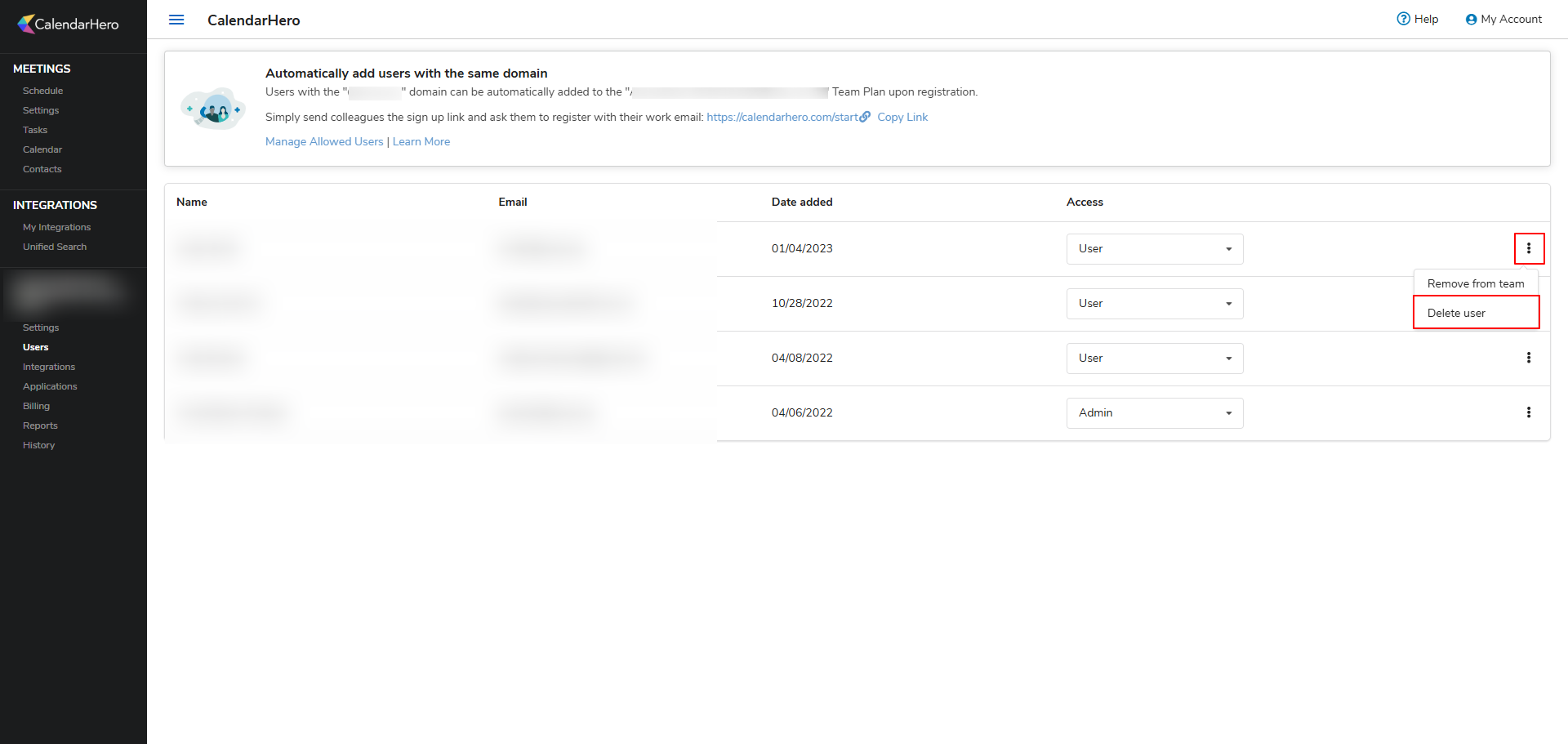
Once a user is deleted, the seat can be assigned to a new user by having them log in to Business App and access CalendarHero. Note that deleting a user removes them from the organization and permanently deletes their account and all associated data. This cannot be undone.
Why is a CalendarHero user not able to access an additional team seat?
Team seats are assigned automatically when a user logs in to Business App → CalendarHero, as long as an open seat is available and they have not already been assigned one. To assign a seat, have the user log in via Business App. Note that impersonation is not supported in CalendarHero.
What happens when a CalendarHero subscription is cancelled?
When the CalendarHero subscription is cancelled for an account through Vendasta, all users’ accounts are deleted and cannot be recovered.