Discounts in Invoices and Subscriptions
As a merchant, you can apply discounts to your invoices in the Billing section of Commerce. Discounts can be applied as a percentage of the total or a fixed amount, and they can be applied to one-time invoices or recurring subscriptions.
One-time discount
To add a one-time discount to an invoice:
-
Go to the
Billingsection in Commerce -
Select
Invoices -
Click on the invoice you want to modify
-
Click the
Discountbutton in the upper right corner -
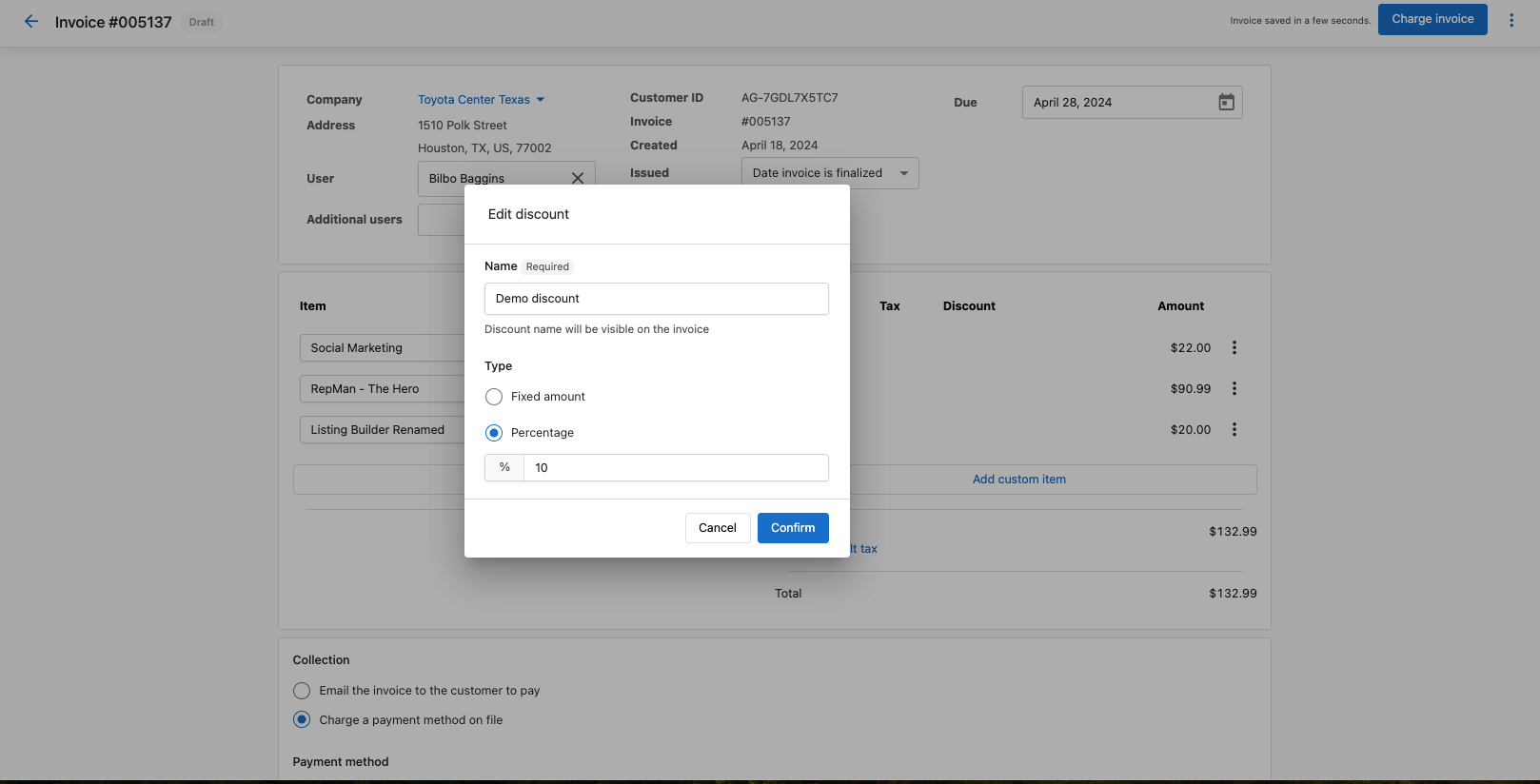
In the setup page, choose:
Name: A label for the discount (required); this is shown on the invoiceType: Percentage or Fixed AmountValue: The percentage or dollar amount
- Click
Apply
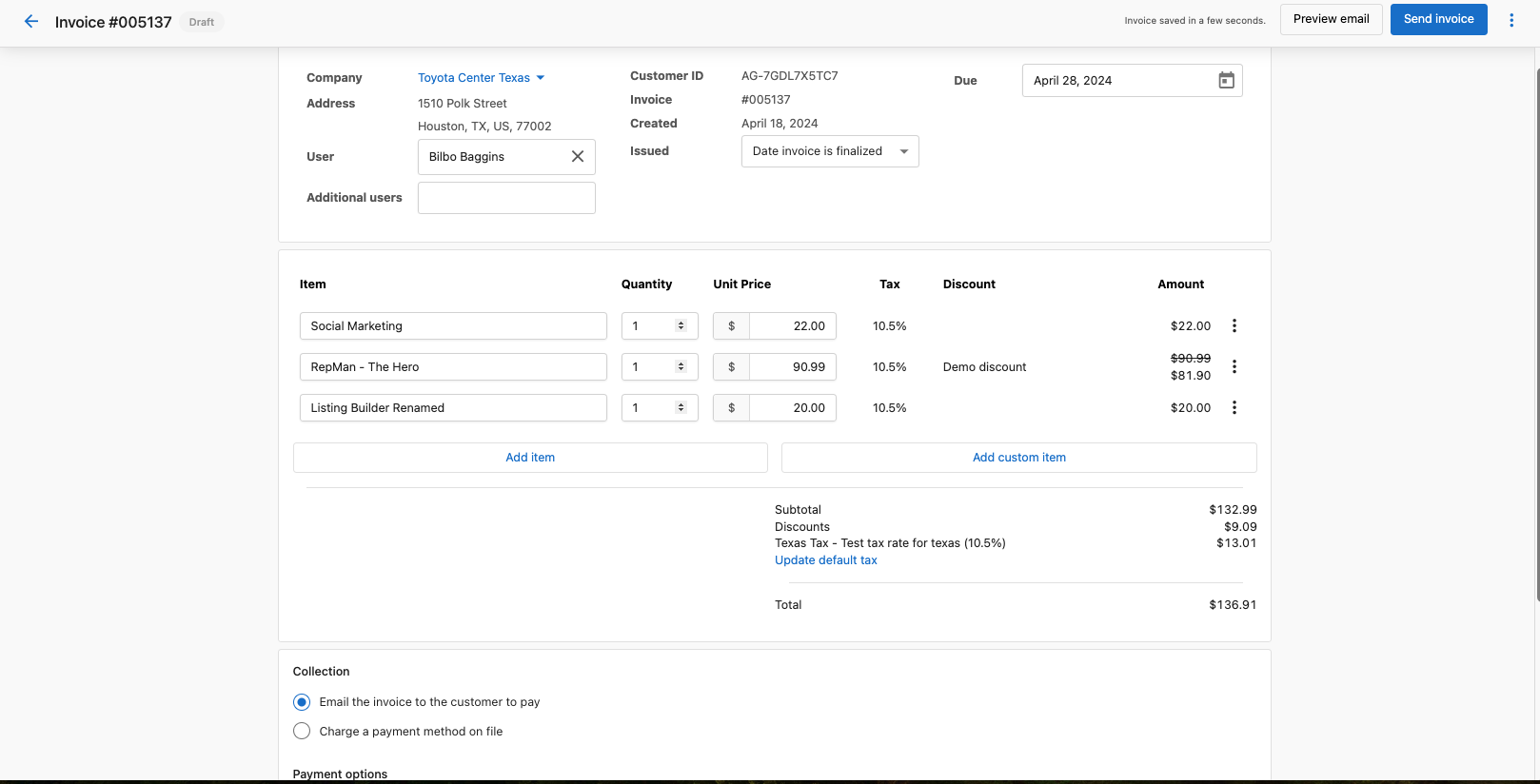
The discount will be applied to the invoice total.
Subscription discount
For recurring subscriptions, you can apply discounts that will be applied to all future invoices generated from that subscription.
- Go to the
Billingsection in Commerce - Select
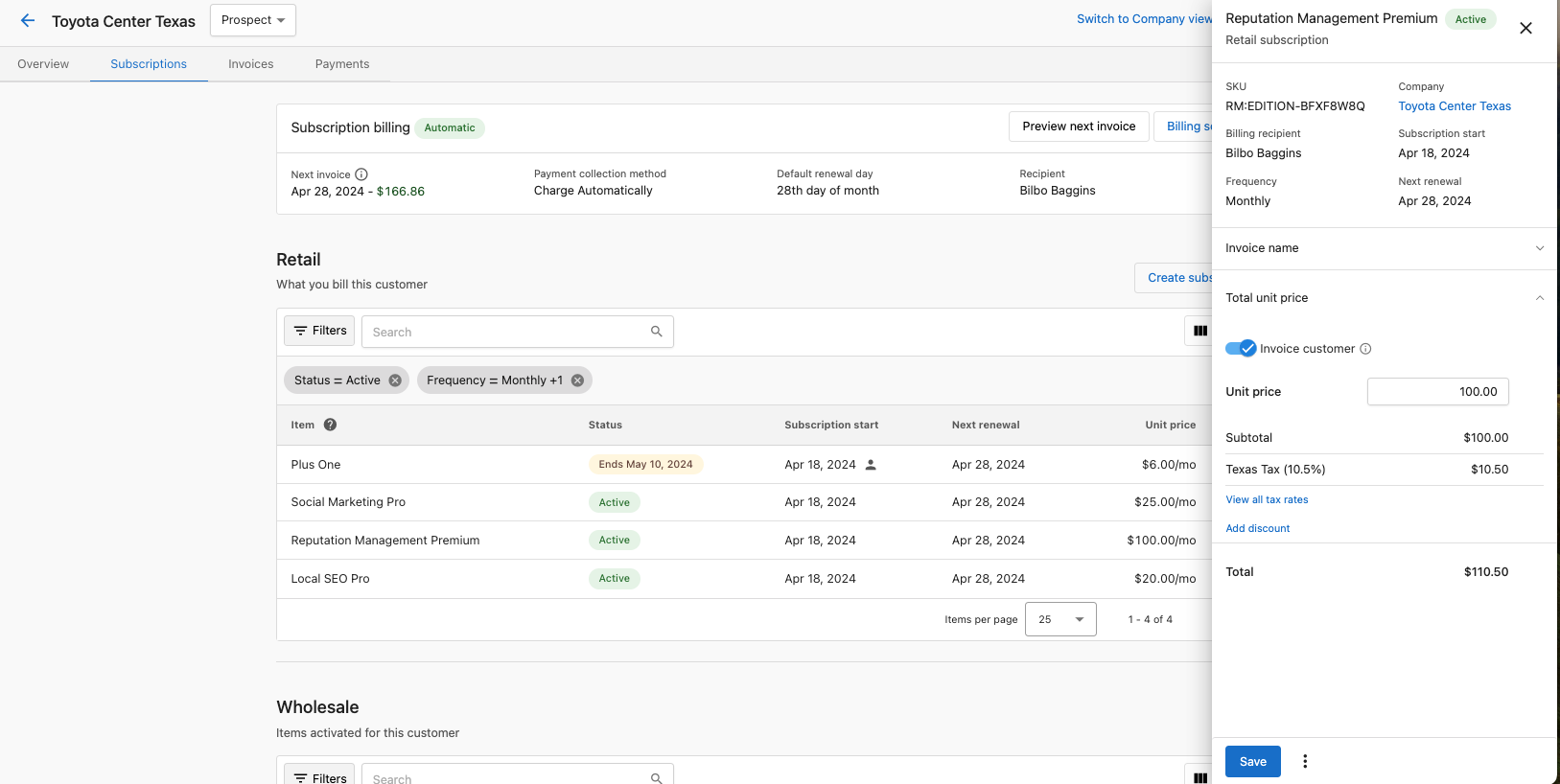
Subscriptions - Click on the subscription you want to modify
- Click the
Discountbutton
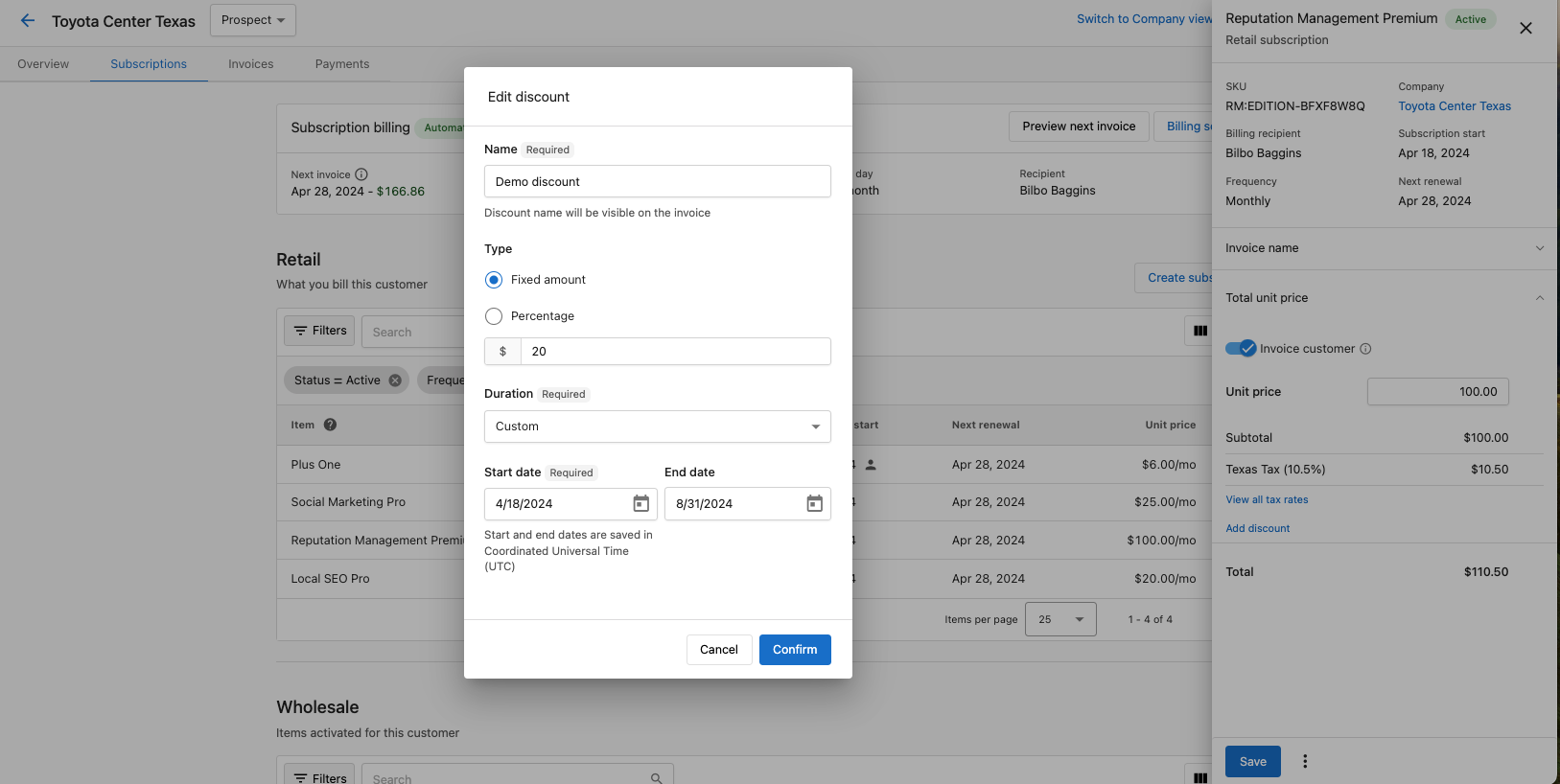
- In the setup page, choose:
Name: A label for the discount (required); this is shown on the invoiceType: Percentage or Fixed AmountValue: The percentage or dollar amountDuration:Forever: Applied to all future invoicesFor a limited time: Select the number of billing cycles to apply the discountOnce: Applied only to the next invoiceCustom: Select a specific start date and end date for the discount
- Click
Apply
Editing or canceling a discount
To modify or remove an existing discount:
- Go to the invoice or subscription with the discount
- Click the ⋮ menu next to the discount and select
Edit discountorCancel discount
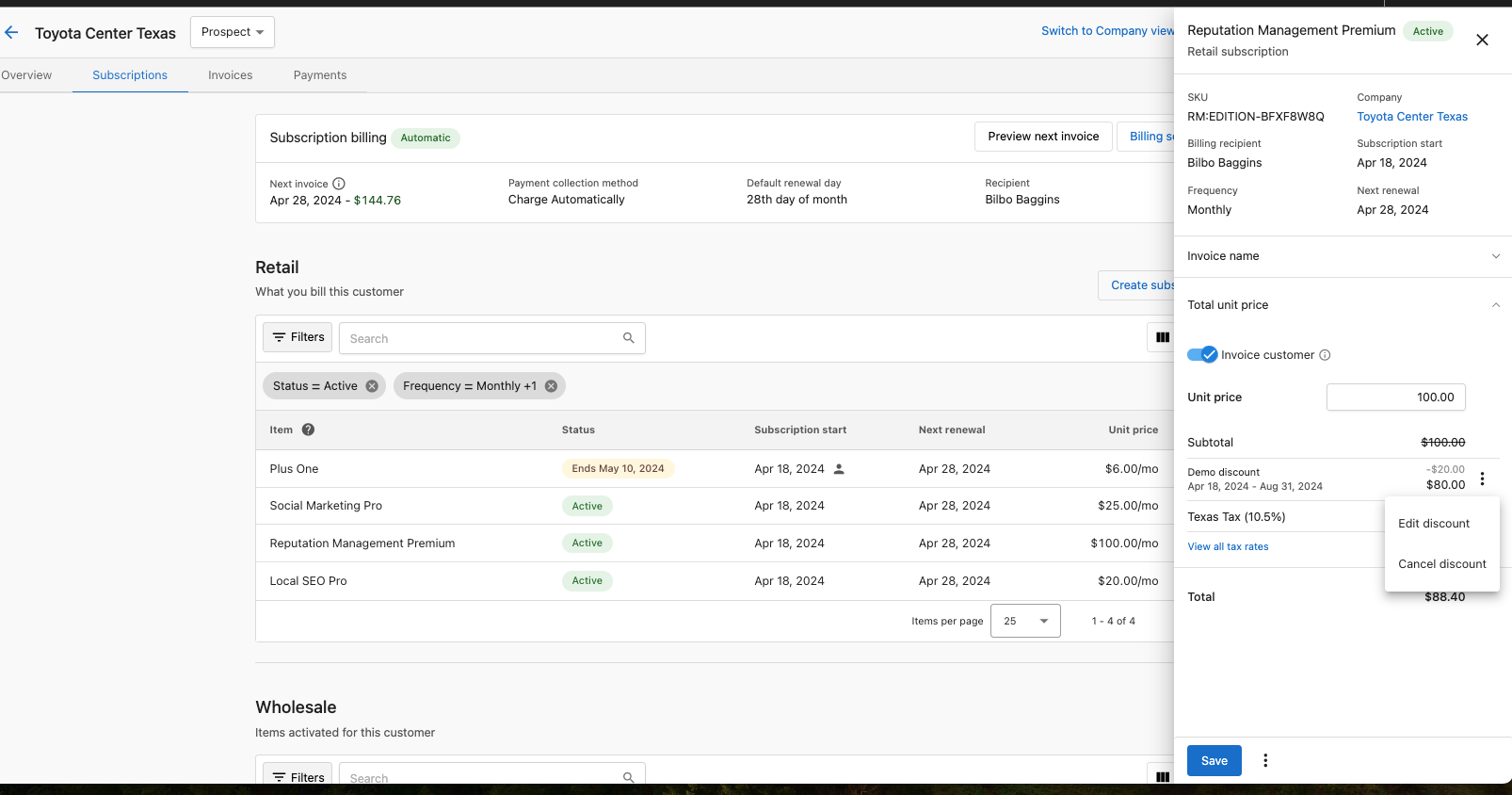
- If editing, adjust the values and save your changes
Notes on discounts
- Discounts are applied after taxes
- You can have only one discount per invoice or subscription at a time
- Discounts do not apply to past invoices, only current or future ones
- For subscriptions, you can see which future invoices will have discounts applied in the subscription details page