Operations reports
Monitor your operational systems and account health with detailed insights into Social AI connections, automation performance, and system status. These reports help maintain service quality and identify issues before they impact performance.
Account connection reports
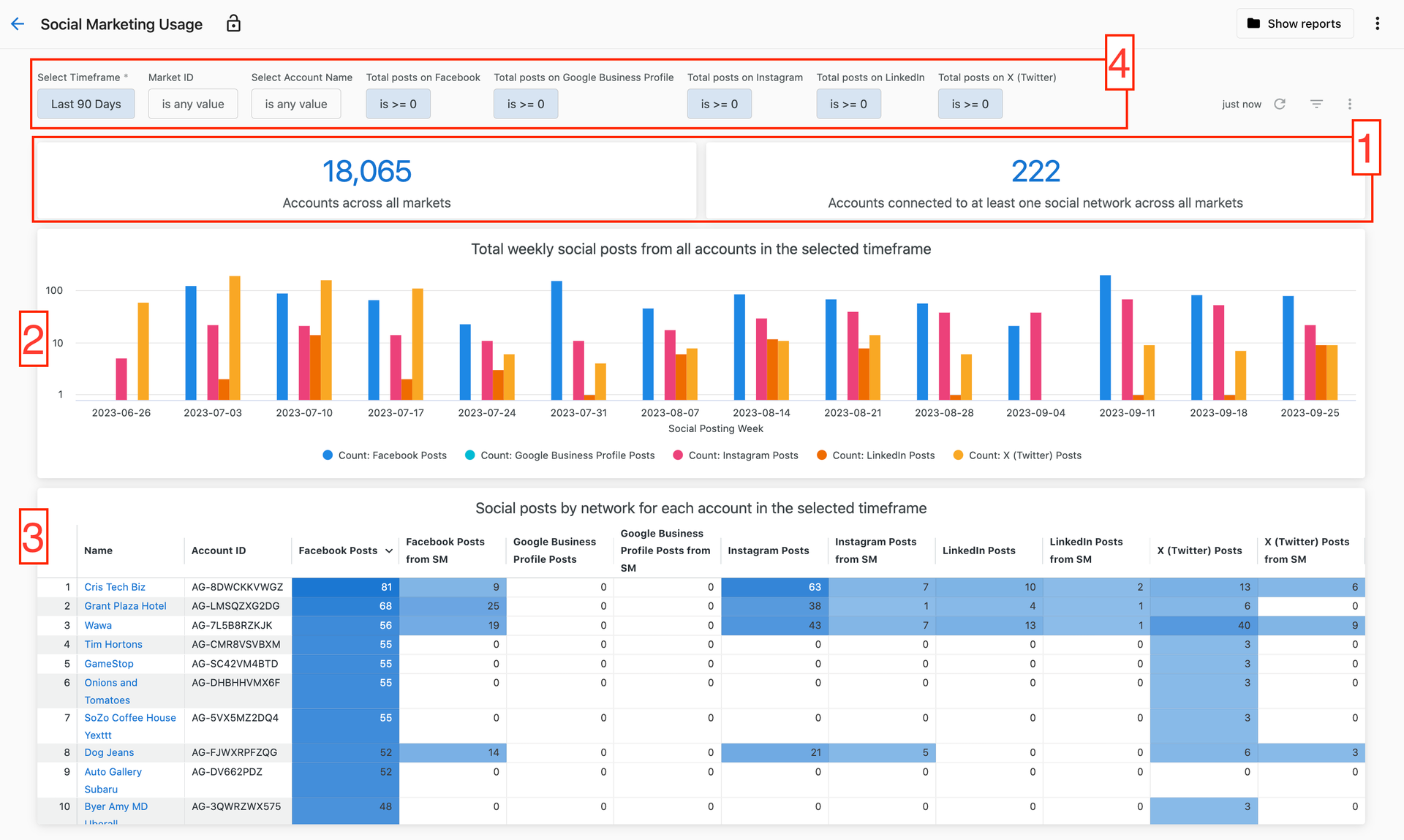
Social AI usage
Monitor account connections across all product services, categorized by status and connection expiration dates.
View connections categorized by:
- Connected: Active, functioning connections
- Broken Connections: Connections requiring attention
- Available Connections: Potential new connections
- Expiration dates: When connections will expire (if applicable)
Connection status details
Get detailed connection information per account to maintain service quality.
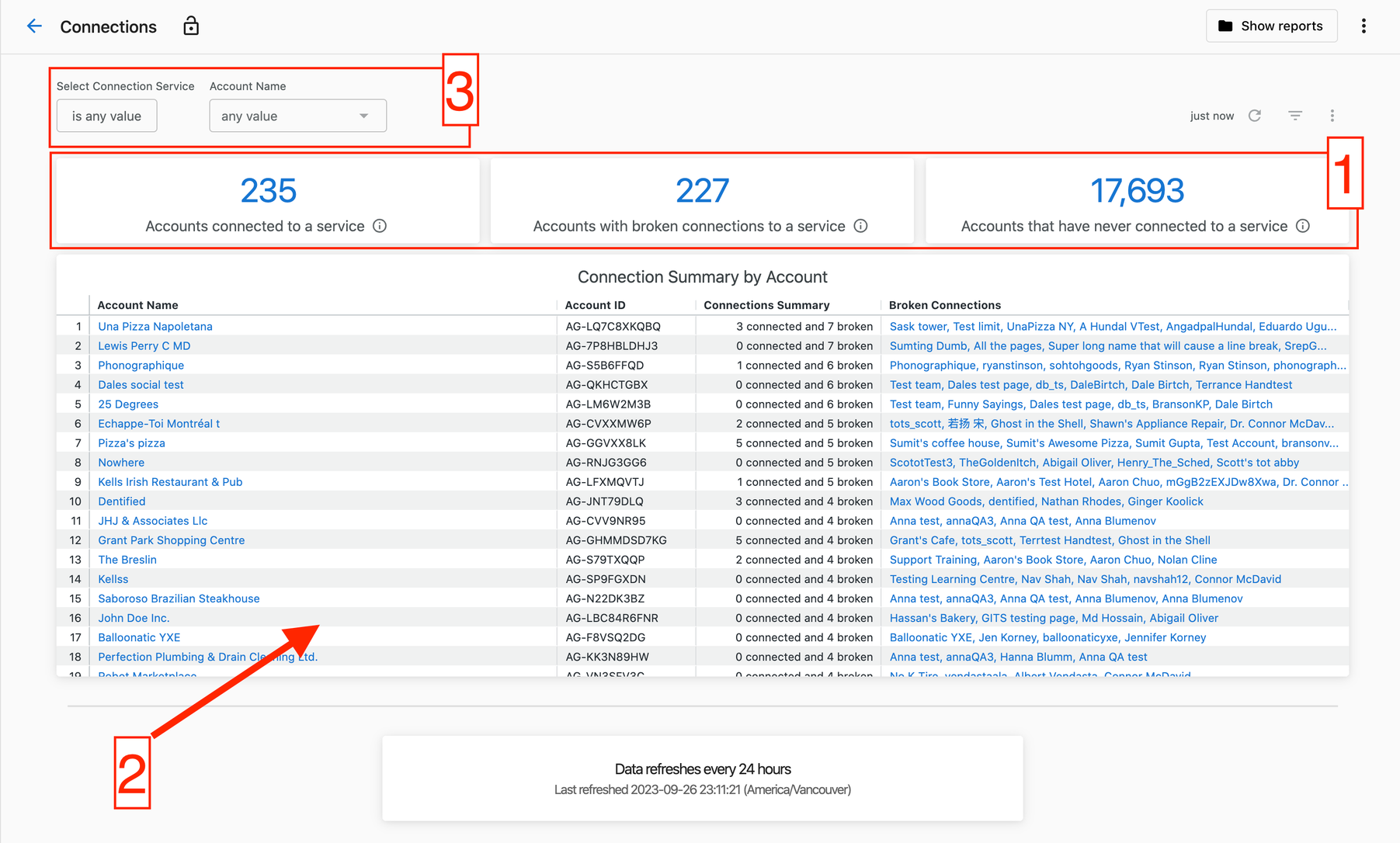
Connection insights include:
- Connection Status: Active, expired, or broken connection identification
- Connection Expiration Date: Timeline for connection renewal (when applicable)
This report helps proactively manage account health and prevent service disruptions.
Broken connection management
View all broken connections in one centralized location for efficient troubleshooting and resolution.
Take direct action through the report using provided vendor links to quickly resolve connection issues and restore service functionality.
Automation performance reports
Monitor automation execution, success rates, and error tracking to ensure optimal automation performance.
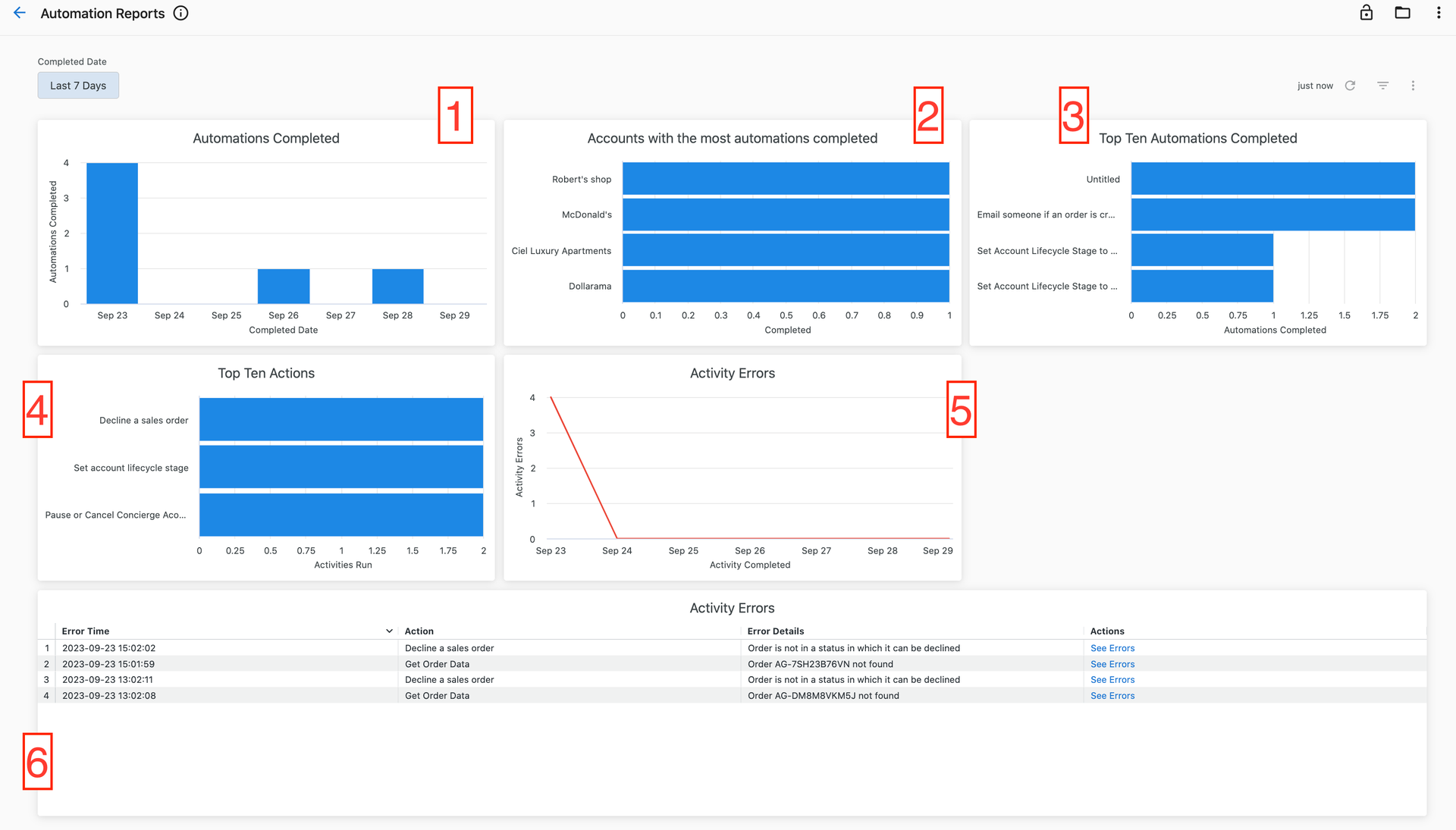
Dashboard includes the following insights for your selected time range:
- Automation execution counts by completion date showing activity trends
- Top performing accounts with highest automation completion counts
- Top 10 automations across all accounts with execution totals
- Top 10 actions completed across all automations with execution counts
- Activity error counts by completion date for trend analysis
- Error details table with actionable error information
Error management:
- Click
See ErrorsunderActionsto view detailed error information - Access error details directly in
Manage Automationsin Partner Center - Track error trends to identify systemic issues
Use the Completed Date filter at the top to adjust the time range for all visualizations according to your analysis needs.
Download options
Export operational data for further analysis or reporting:
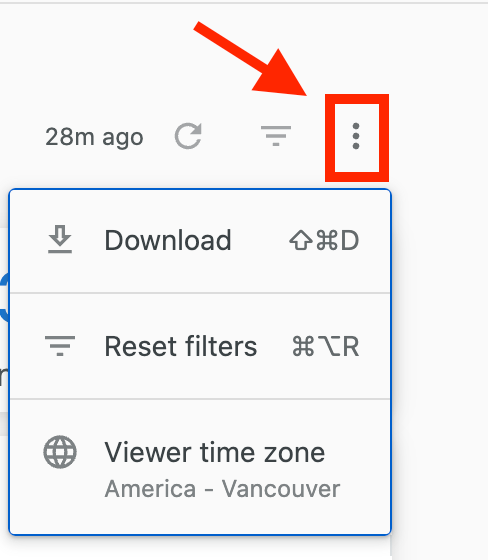
- Click the three-dot icon in the top-right corner of any report
- Select
Downloadto access available formats (CSV or PDF)
All operational reports support data export for integration with external analysis tools or executive reporting.
Data freshness
Operational reports update daily at 12:00 AM UTC. Data freshness indicators at the bottom of each dashboard show:
- Refresh interval (bold text): Update frequency for the lowest-refresh data source
- Last refresh timestamp (bottom text): Earliest update time across all data sources

Related articles
- Premium Reports overview - Getting started with Premium Reports
- Financial reports - Billing and accounts receivable analytics
- Sales performance reports - Sales activity and pipeline analysis