Financial reports
Track your organization's financial performance with detailed billing analytics and accounts receivable management. These reports provide insights into revenue distribution, payment patterns, and outstanding balances across products, markets, and customers.
Billing reports
Billing by product report
View all product purchases in a selected timeframe to understand spending distribution across products and unit quantities purchased.
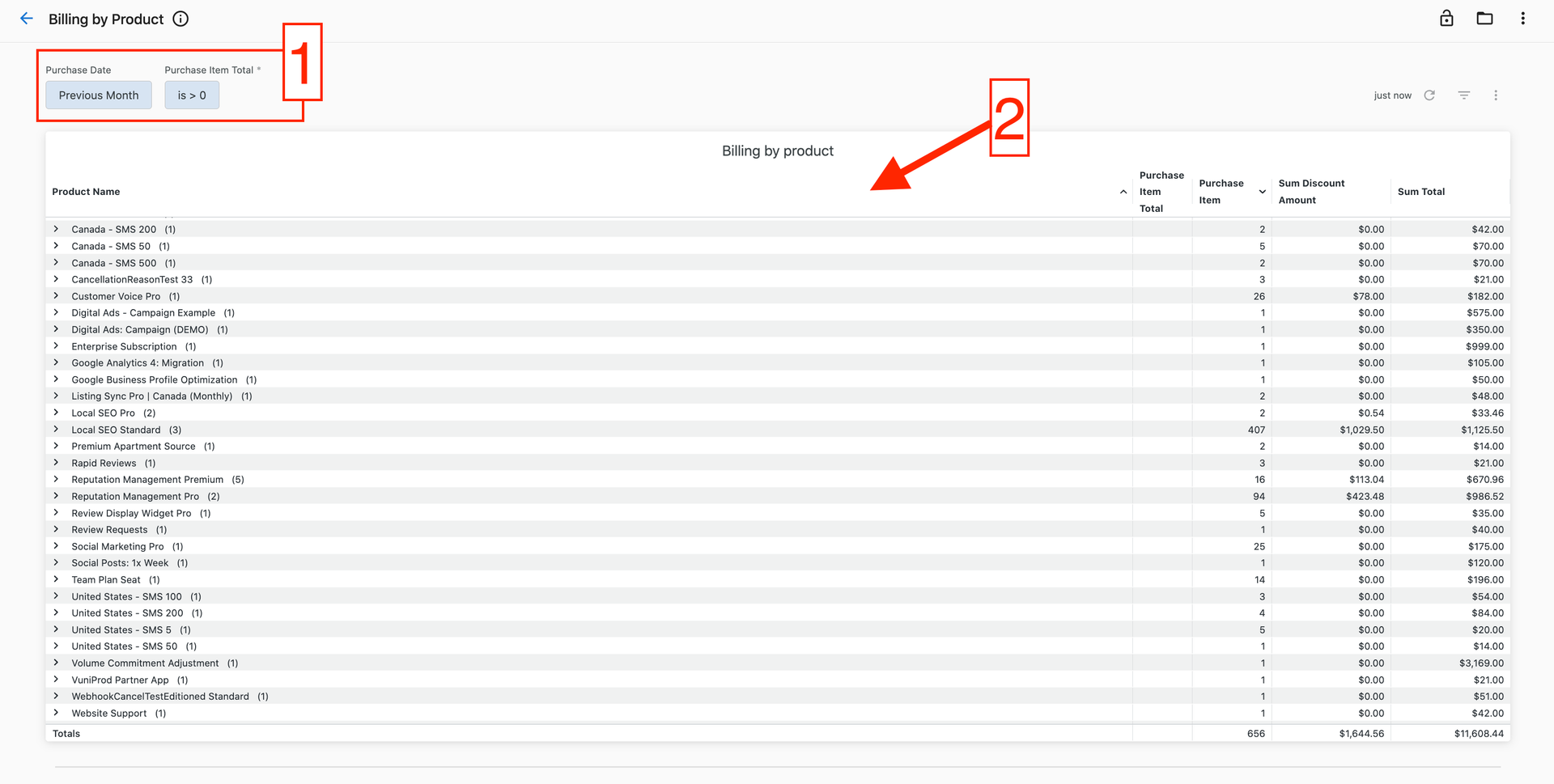
- Select a timeframe using the filter at the top
- Review the number of units, discounts, and totals for each product in the table
Billing by market report
Analyze product purchases by market to understand spending patterns across different regions and product distribution within each market.
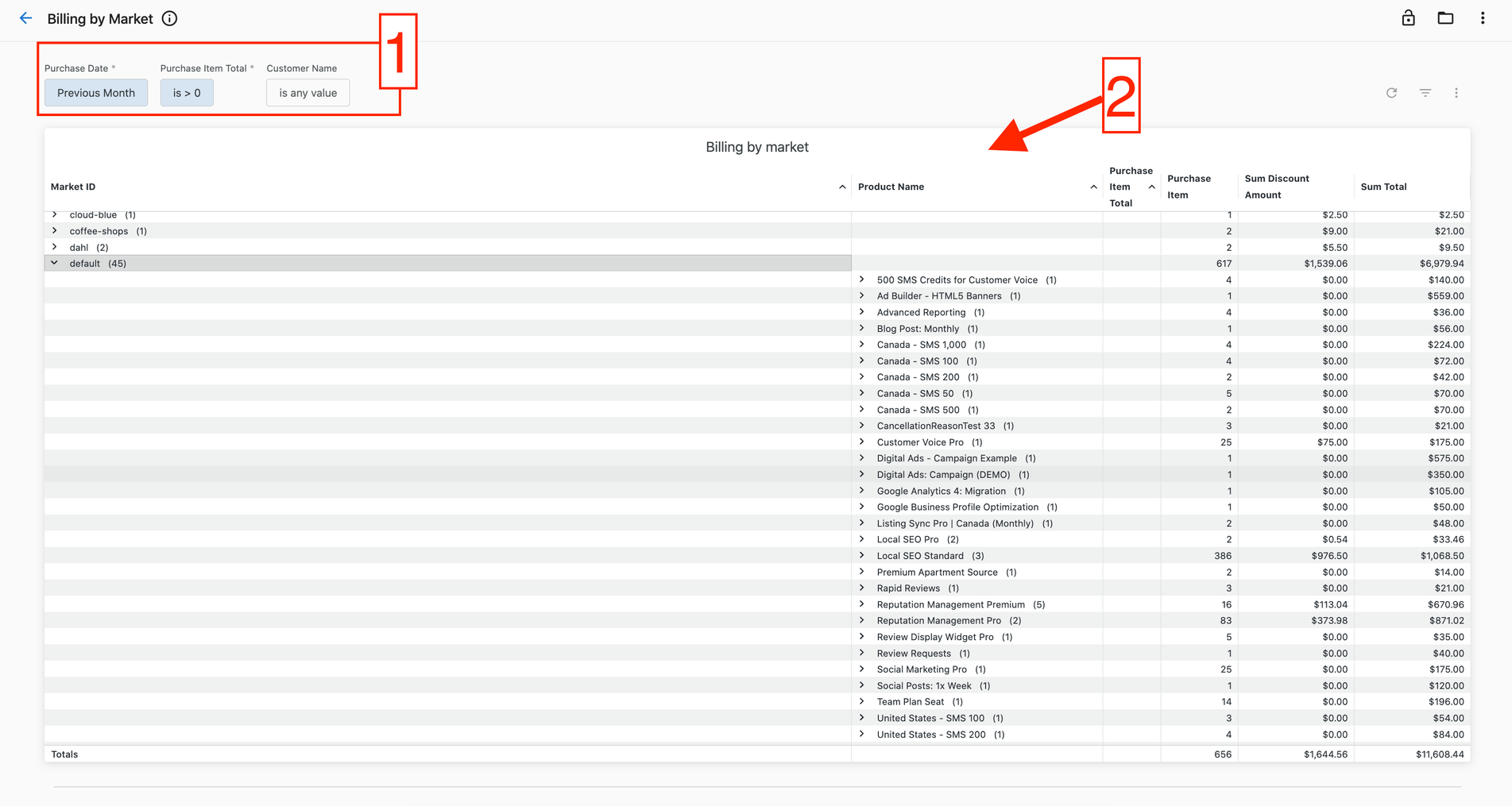
- Select a timeframe or filter by specific customers using the top filters
- View units purchased, discounts, and totals by market in the table
Billing by customer and market report
Examine product purchases by market and customer, allowing you to see market-wide spending and drill down into individual customer spend.
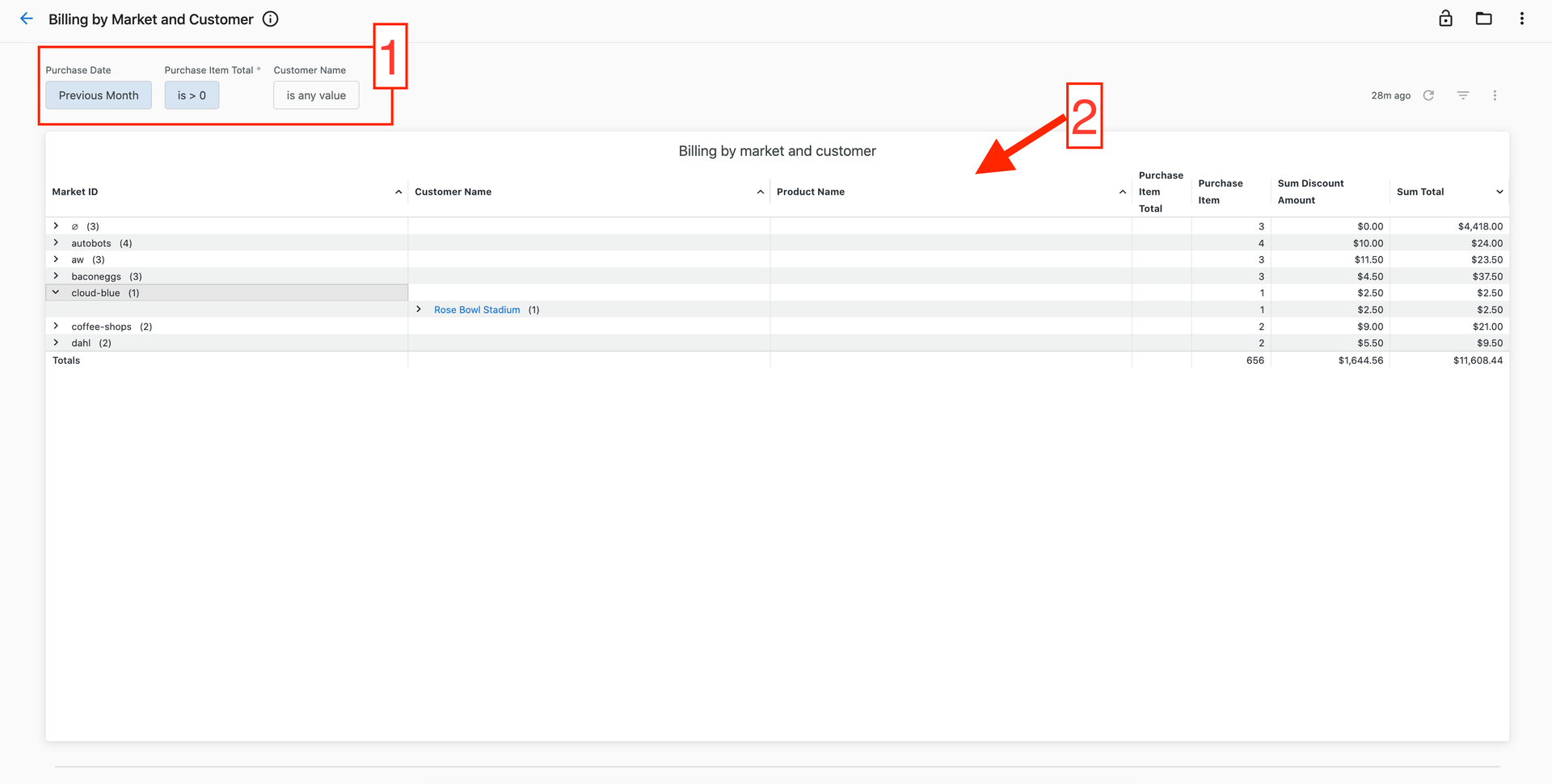
- Select your timeframe or filter by specific customers using the top filters
- Review units purchased, discounts, and totals by customer within each market
Billing by customer report
View all product purchases by individual customer in a selected timeframe for account reconciliation and customer spend analysis.
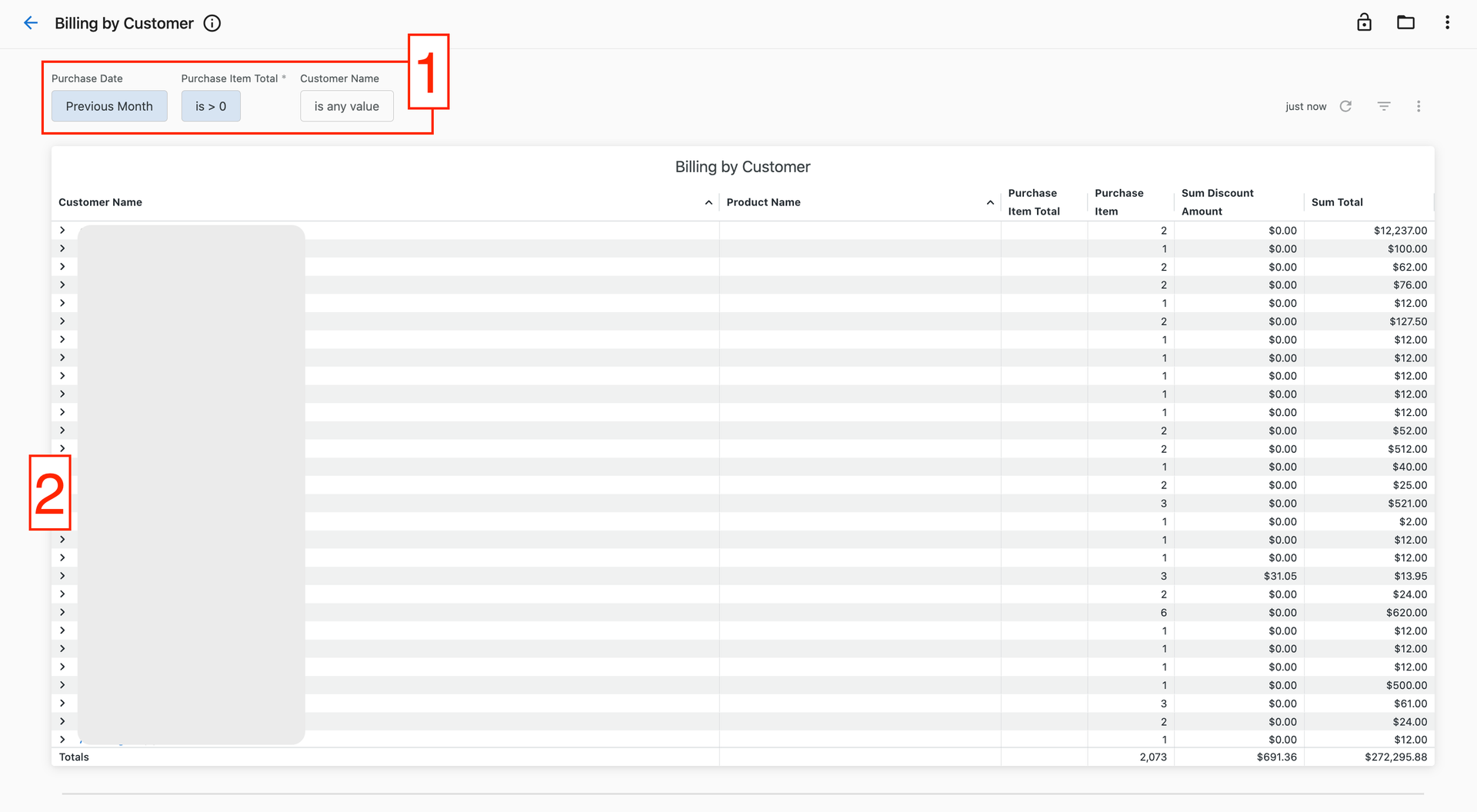
- Select a timeframe or filter by specific customer using the top filters
- Review products purchased, discounts, and totals for each customer
Accounts receivable reports
Accounts receivable aging by salesperson
Track outstanding balances and overdue amounts segmented by the salesperson associated with each account.
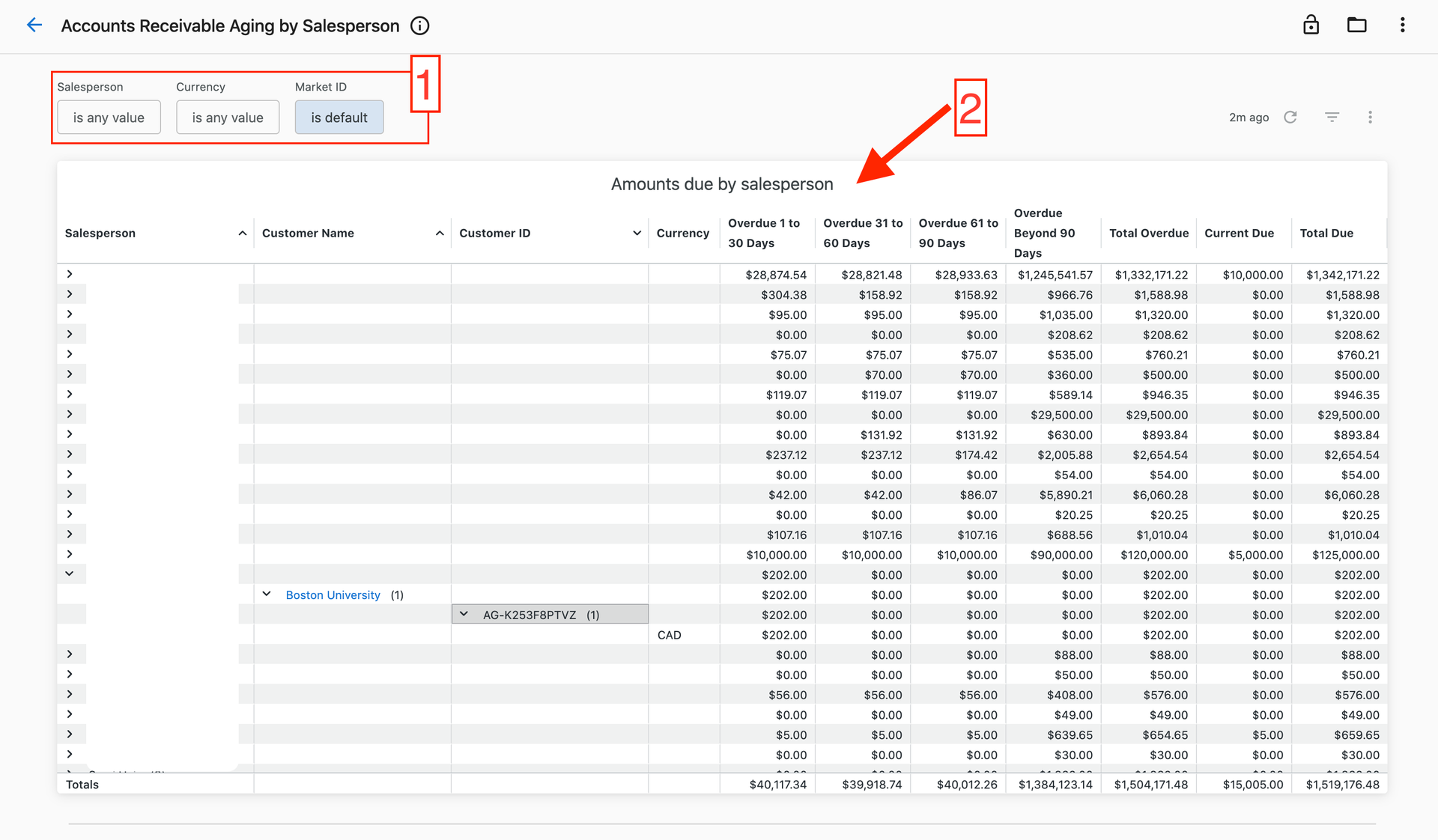
- Review amounts due and overdue by salesperson, customer, and currency in the table
- View overdue amounts bucketed into 30-day windows to determine follow-up priority
- Click on amounts to see detailed invoice breakdowns
- Use filters to select specific markets, currencies, or salespersons
When multiple currencies are involved, filter by Currency or Market-ID (markets with single currency) to ensure totals and subtotals calculate correctly.
Accounts receivable aging by customer
Monitor outstanding balances by customer to track payment terms compliance and identify accounts requiring follow-up.
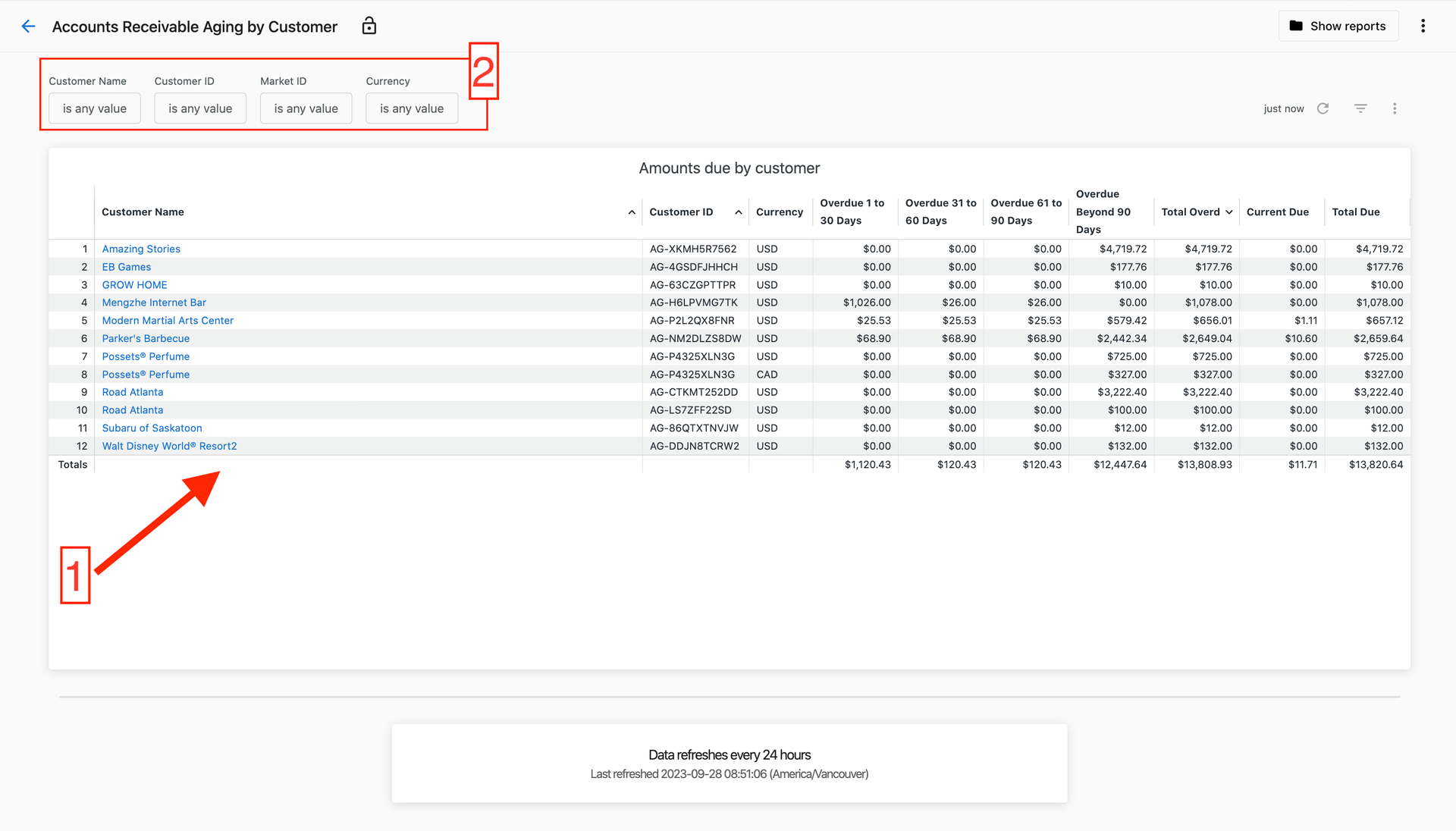
- View currently due and overdue amounts by customer in the table
- Review overdue amounts in 30-day buckets to prioritize collection efforts
- Click amounts to see contributing invoice details
- Filter by specific accounts, markets, or currencies at the top
When multiple currencies are involved, filter by Currency or Market-ID (markets with single currency) to ensure totals calculate correctly.
Download options
Download financial report data in multiple formats:
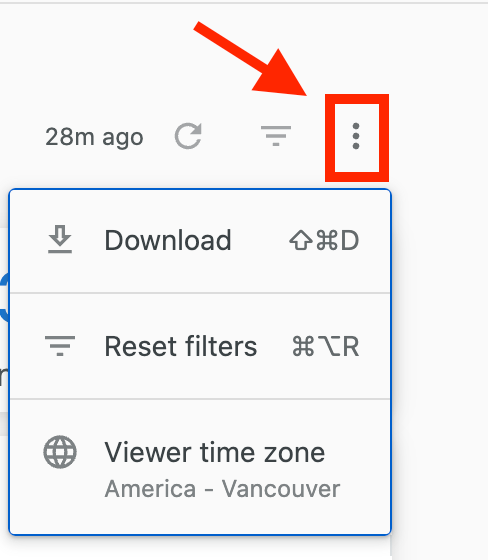
For complete reports:
- Click the three-dot icon in the top-right corner
- Select
Downloadto view format options
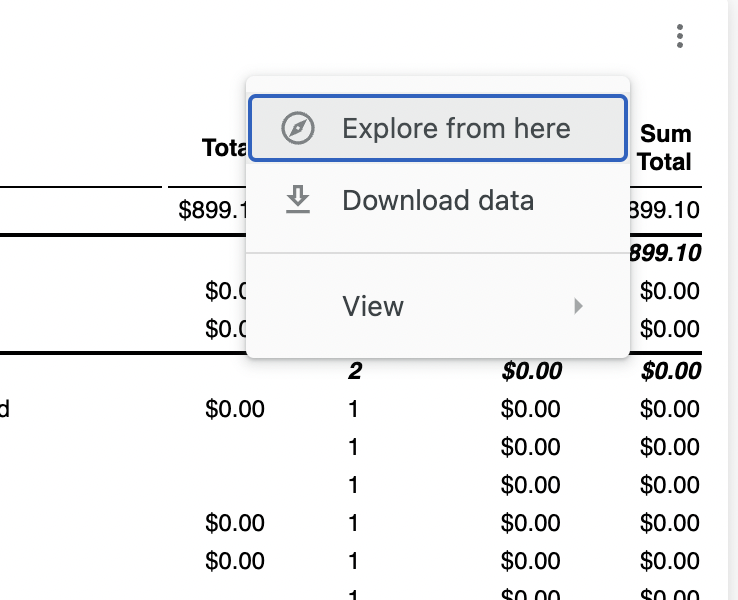
For specific charts:
- Click the three dots next to any chart
- Select
Download data
Data freshness
Financial reports are updated daily at 12:00 AM UTC. Data freshness labels at the bottom of each dashboard indicate:
- Refresh interval (bold text): How often the data source with lowest refresh frequency updates
- Last refresh timestamp (bottom text): Earliest time when any data source was last updated

Use financial reports to identify revenue trends, track payment patterns, and prioritize collection efforts. The aging reports help maintain healthy cash flow by highlighting overdue accounts requiring immediate attention.
Related articles
- Premium Reports overview - Getting started with Premium Reports
- Sales performance reports - Sales activity and pipeline analysis
- Operations reports - Account connections and automation monitoring