Brand your platform
Outcomes
What white label covers
White-label products and services are re-brandable, re-sellable items produced by one company to be re-branded and re-sold by another. That is the model the whole platform runs on: the workspaces, the products you resell, and the services that fulfill them carry your brand, so your clients see your name throughout.
Branding the platform is quick work with wide reach. The logo you upload appears in Business App, in outgoing email, on login pages, and everywhere else the platform represents you.
Your logo and color
Open Administration → Partner Branding. Three settings do most of the branding work:
- Company name: your brand as clients see it, in email headers, login pages, and notifications.
- Logo: one upload brands both Partner Center and every client's Business App. A PNG with a transparent background works best, and you can add a dark-mode version so it stays sharp on any screen.
- Primary color: your brand's hex color, used as an accent throughout the platform and in some client emails.
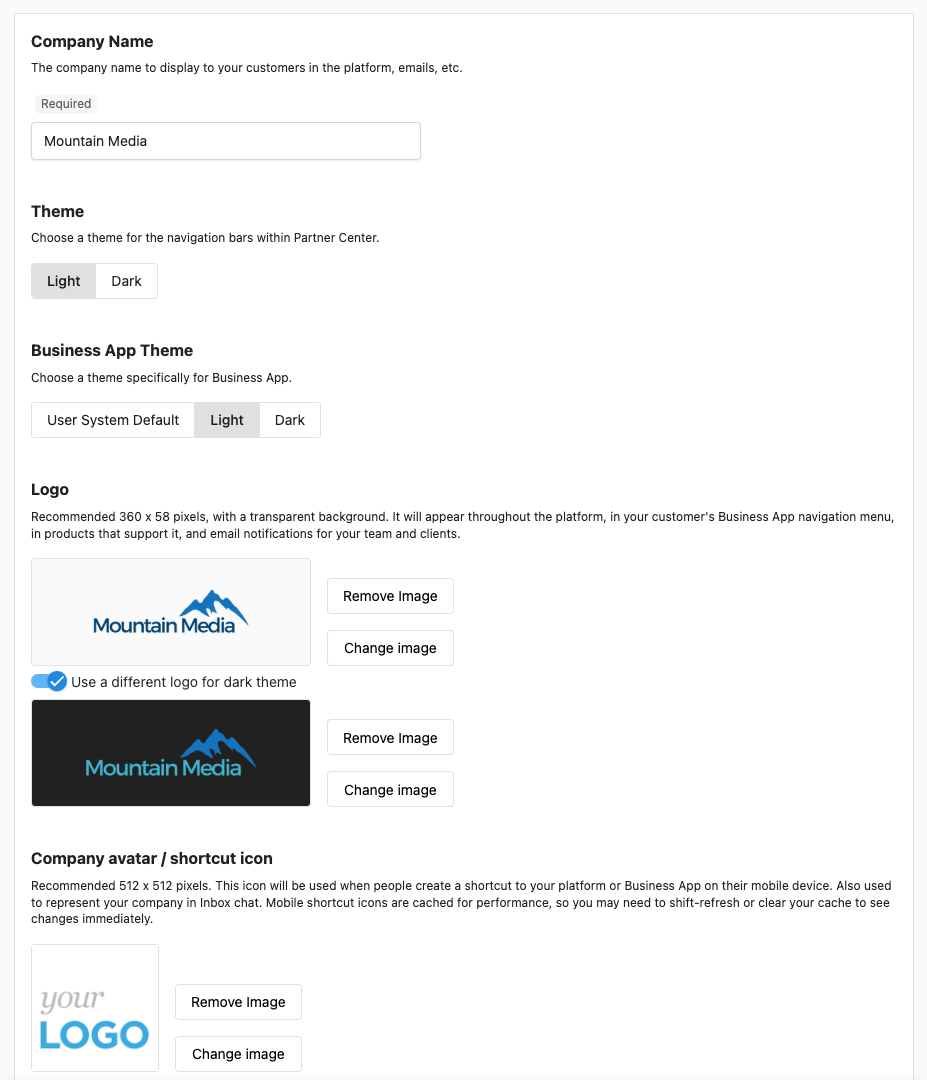
The whole task takes a few minutes, and it is worth doing before anything client-facing goes out. For every setting on the page, including icons and favicons, this guide walks through branding and customization.
Open Administration → Partner Branding, upload your logo, and set your primary color. Refresh the page: Partner Center is already wearing your brand.
White label
On plans with white label, the platform carries your brand with no mention of Vendasta: your logo, your colors, your name, in Partner Center and in every client's Business App. White label depends on your subscription: free tiers do not include it, and some white-label options vary by plan, so check what yours includes. Plan details are on the pricing page.
A domain of your own
A custom domain lets clients and salespeople reach the platform through a link that carries your brand, such as app.youragency.com, instead of a default Vendasta URL. Custom domains are available on select plans, so treat this as an upgrade to plan for rather than a first-day task. When you are ready to connect one, the branding guide covers custom domain setup.
Knowledge Check
Three quick questions on white label, the logo, and what a client sees.