Partner-made automation templates
Watch the video tutorial
What are partner-made automation templates?
Streamline Your Workflow with Reusable Automation Templates! By creating templates you can empower your clients to leverage pre-built automation structures. You and your clients can easily customize the automations from the templates to save time, and standardize workflows.
How to build an automation template
Step 1 - Navigate to Partner Center > Automations > Templates > Manage Client Templates.
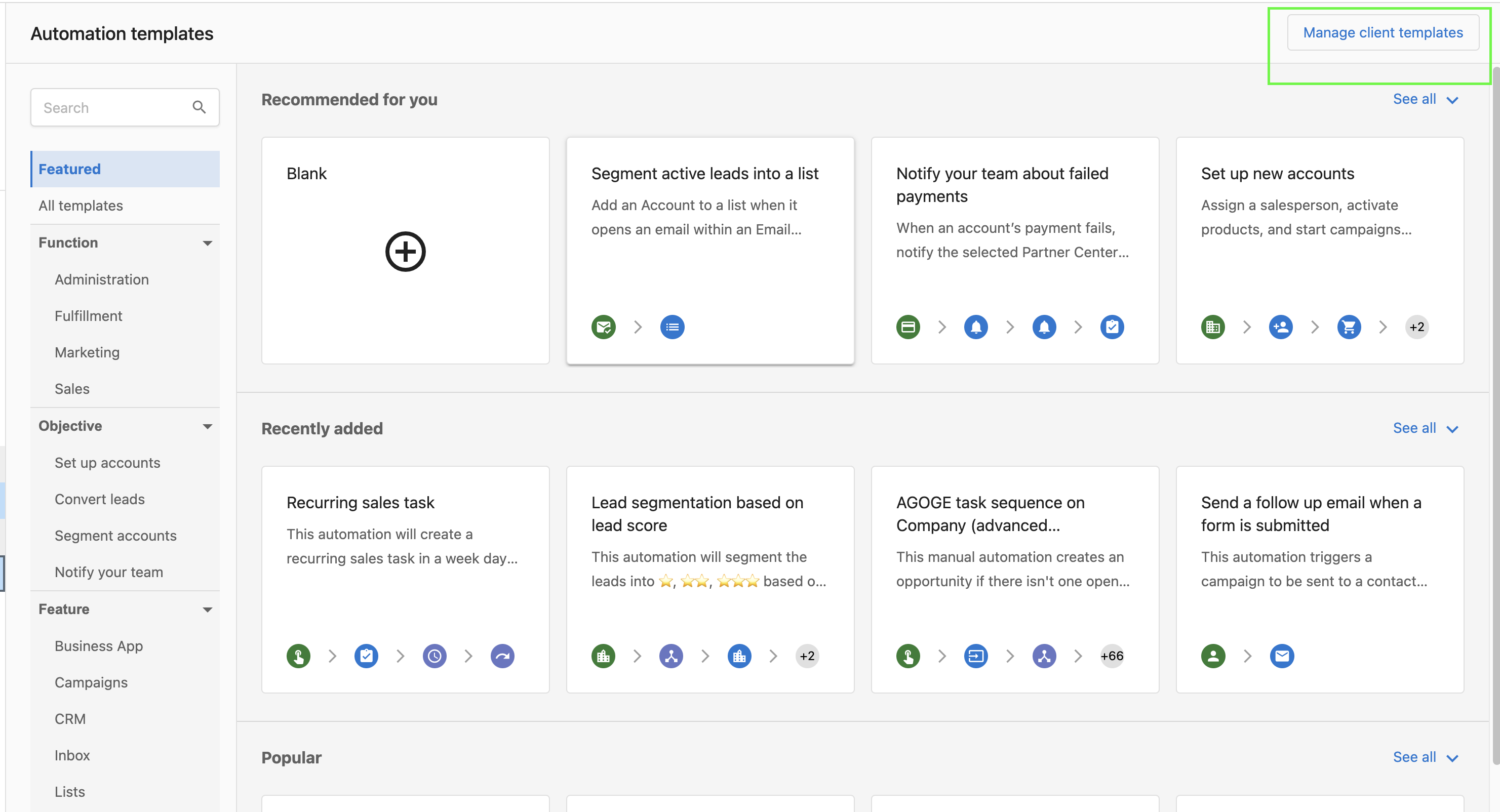
OR
Navigate to Partner Center > Administration > Customize Business App.
Step 2 - Click on the Automations tab, and then select Templates.
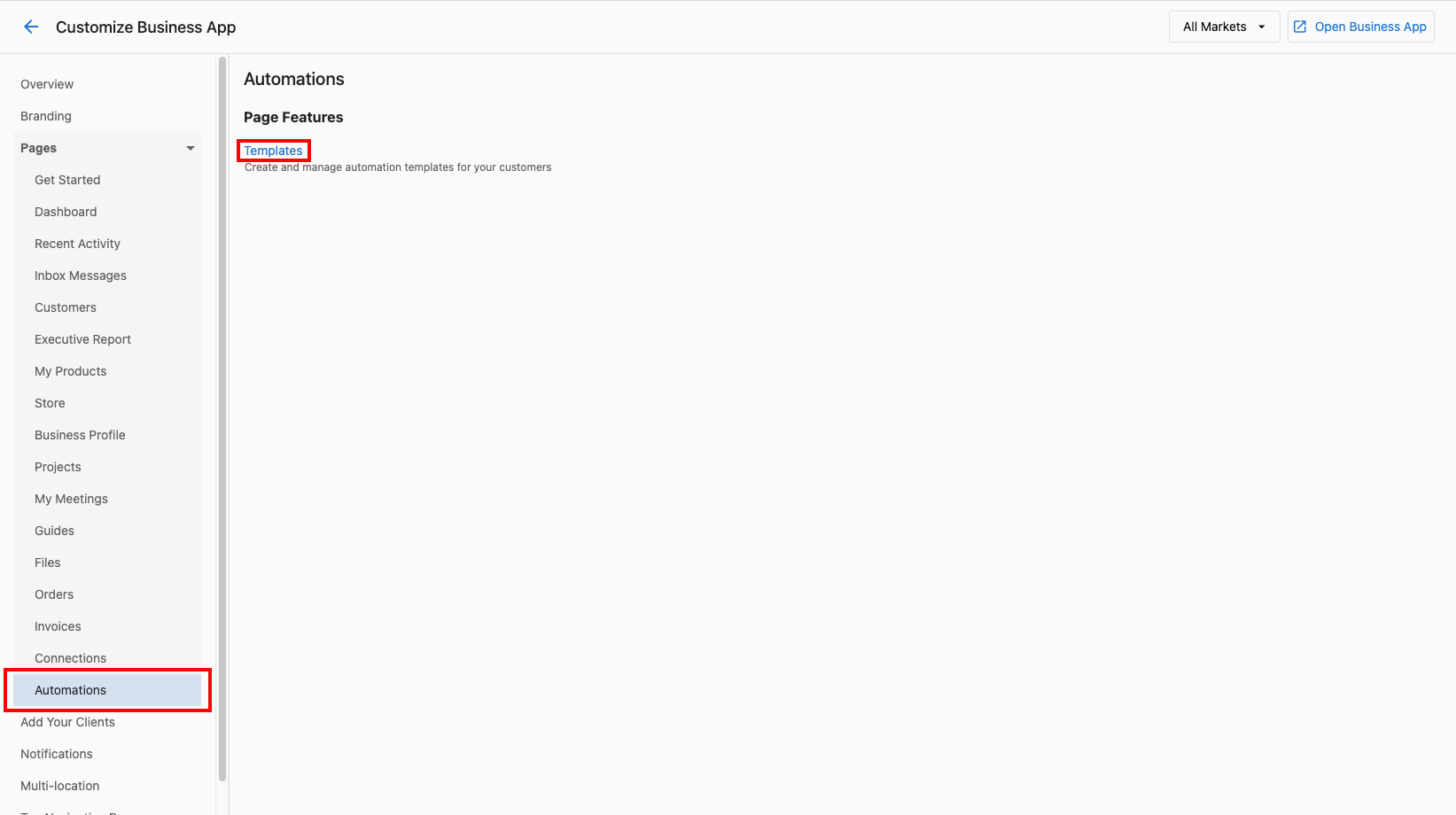
Step 3 - Click Create, or choose an existing template to update (Please note that you will not be able to update the Vendasta-made templates that have the "Platform" tag).
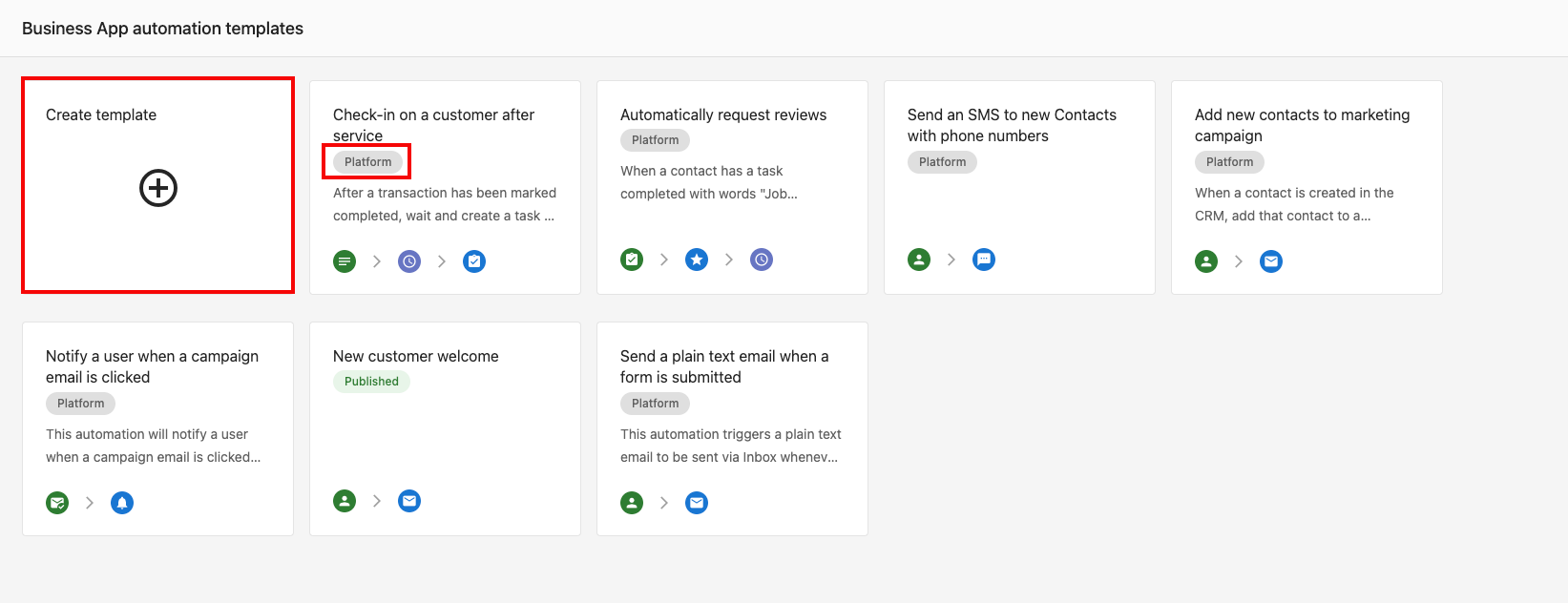
Step 4 - Create an automation.
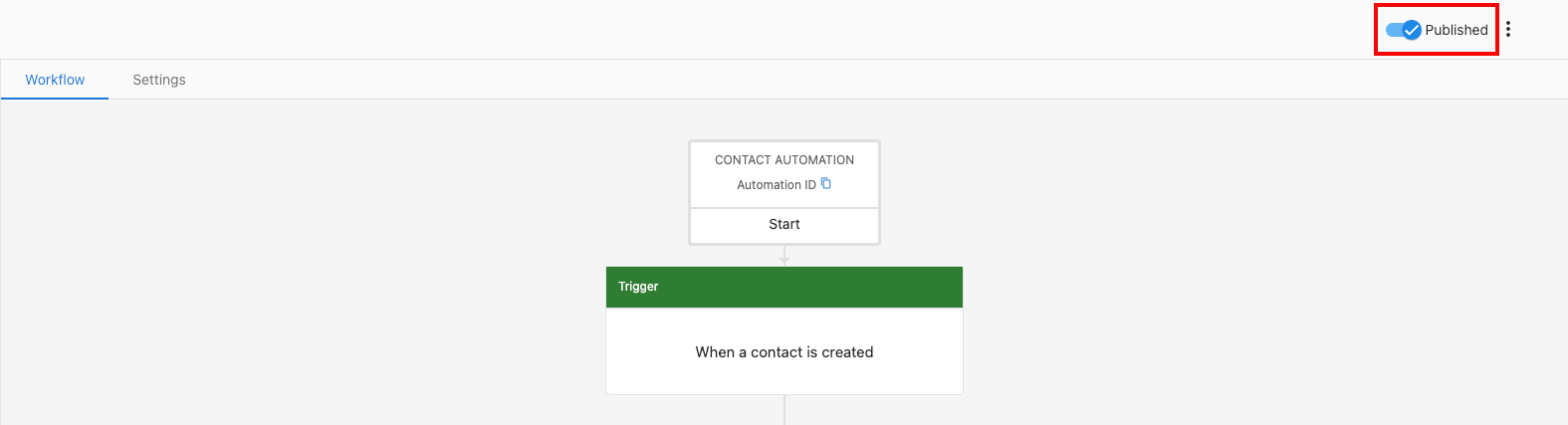
Step 5 - Use the toggle on the top right-hand side of the page to publish the template.
Please note: These templates are strictly for your clients, and your clients will not be able to create templates for themselves.
Why isn't my template visible in Business App?
Templates must be published before clients can see them. A template that has been created but not published is in Draft status and is only visible to Partner admins in Partner Center — it will not appear in Business App.
| Status | Visible to |
|---|---|
| Draft | Partner admins only (Partner Center) |
| Published | All clients in Business App |
If clients can't find your template, return to the template and confirm the publish toggle is turned on.
Who can publish templates
Only Partner admins can publish automation templates. If the publish toggle is unavailable or greyed out, check that your account has Partner admin permissions. Sub-users and restricted roles cannot publish templates.