Score
Lead scoring is designed to empower customer-facing representatives with more precise and customizable lead prioritization tools. This feature allows you to create different scores as a contact or company field based on buyer profile fit and buyer intention. By incorporating these two critical dimensions, representatives can efficiently prioritize their outreach, significantly improving their chances of closing deals and maximizing their selling time.
How to configure lead scoring
-
Navigate to scoring configuration
- Go to
Partner Center→Administration→Score
- Go to
-
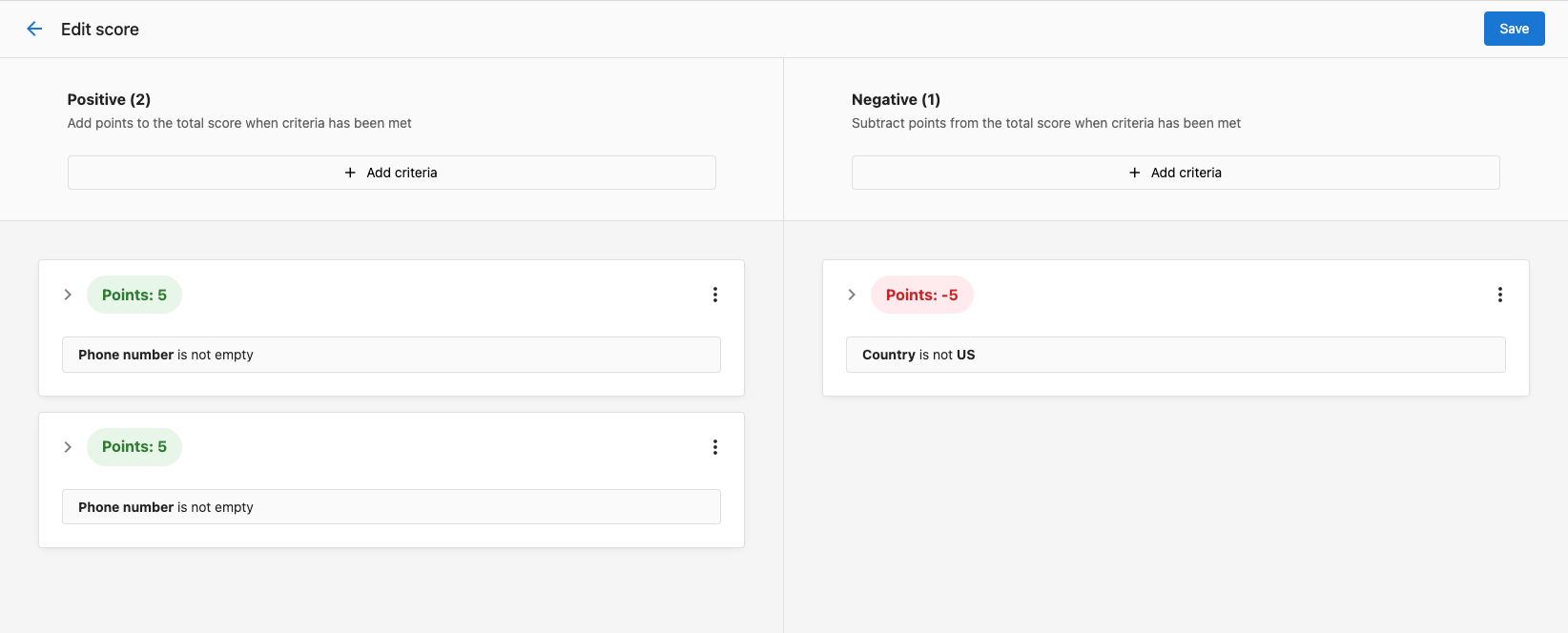
Configure scoring criteria
- Set up positive scoring criteria for behaviors that indicate buying intent
- Configure negative scoring criteria for actions that suggest low interest
- Click
Saveto apply your scoring rules
-
View scores in CRM
- The score populates on the company table immediately
- Navigate to
CRM→Companiesto see lead scores applied to your companies
-
Monitor and adjust
- Review scoring performance regularly
- Adjust criteria based on conversion data and sales team feedback
Frequently asked questions
Can you customize multiple scores?
Yes, you can configure multiple different lead scores to evaluate different aspects of lead quality and buying intent.
How quickly do scores update after configuration changes?
Scores populate on the company table immediately after saving your configuration changes in the administration panel.
What subscription level is required for lead scoring?
Lead scoring is available for all users on the Professional subscription or above.