Choose the Vibe templates your clients see
Vibe templates are ready-made apps your clients can start from. A client picks a template on the Templates tab in Vibe and gets a working project of their own, with its own copies of the template's forms and CRM record types. They change it from there in chat.
You choose which templates your clients see, for every market or one market at a time. Vendasta builds the templates, and you can't add your own.
Where the setting lives
Go to Partner Center → Businesses → Manage Business App → Pages → AI. The Vibe templates section is below AI employees, and its header shows how many templates you offer.
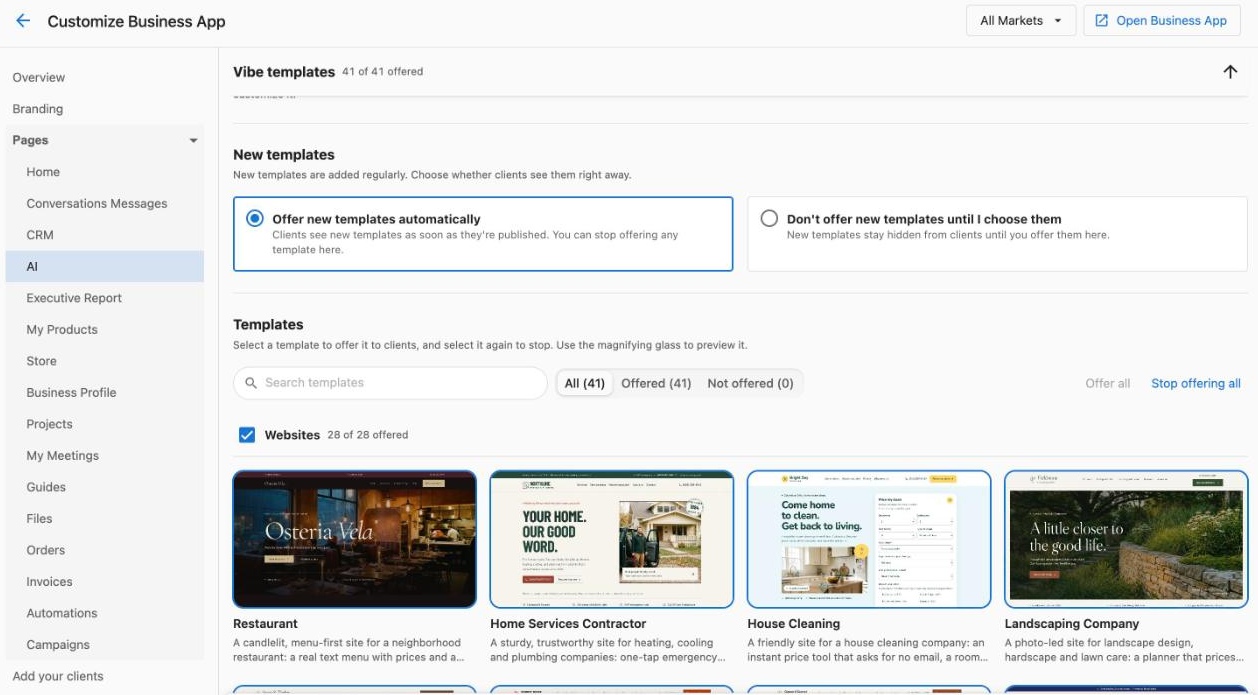
Choose your templates
- In Partner Center, go to
Businesses→Manage Business App. - In the market selector at the top of the page, choose
All Marketsto set templates for every market. To set them for one market, choose that market. - Open
Pages→AIand go to theVibe templatessection. - If you chose one market, turn off
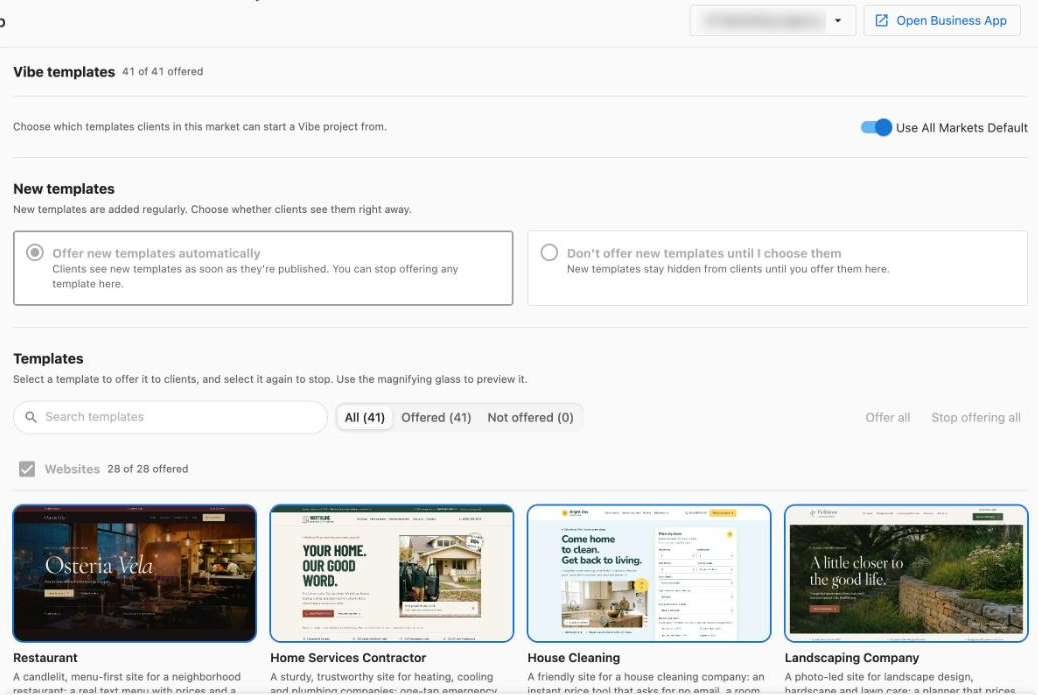
Use All Markets Defaultin theVibe templatessection. - Under
New templates, choose what happens when Vendasta publishes a template:Offer new templates automatically: clients see new templates as soon as they're published.Don't offer new templates until I choose them: new templates stay hidden from clients until you offer them.
- Under
Templates, select a template to offer it, and select it again to stop. To look at a template first, select its magnifying glass. - Click
Save.
To undo changes you haven't saved, click Discard.
Find templates faster
- Type in
Search templates, or filter the list byAll,Offered, orNot offered. Offer allandStop offering allchange every template at once. With a search or filter applied, they change only the templates shown.- Templates are grouped by category. Select a category's checkbox to offer or stop every template in it.
- The magnifying glass opens a preview with the template's images, description, and the connectors it needs. Select
Offer this templateorStop offeringfrom the preview.
Markets and the All Markets default
- Settings on
All Marketsapply to every market you haven't customized. - A market with
Use All Markets Defaulton follows theAll Marketssettings, and itsVibe templatessection is read-only. - Turn off
Use All Markets Defaultto give a market its own templates. Turn it back on to return the market to theAll Marketssettings.
What your clients see
- The
Templatestab in Vibe, besideMy Projects, shows the templates you offer in the client's market. - Selecting a template shows what it does and the connectors it needs.
Use templatecreates a project of the client's own, with its own copies of the template's forms and CRM record types. - Some templates need a higher edition of Vibe. A client on a lower edition sees
Upgrade to usein place ofUse template. - When you offer no templates, clients see none in Vibe. They can still describe a project to start one.
For the client's side, see Projects home and templates in the Business App Help Center.
Frequently asked questions
Can I add my own templates?
No. Vendasta builds the templates. You choose which of them your clients see.
What happens to a client's project when I stop offering its template?
Nothing. A project made from a template is the client's own copy, so it stays as it is. Stopping a template only removes it from the Templates tab.
Do new templates appear for my clients automatically?
It depends on your New templates setting. With Offer new templates automatically, clients see a new template as soon as it's published. With Don't offer new templates until I choose them, it stays hidden until you offer it.
Does changing the New templates setting change the templates I already chose?
No. The templates you offer stay as they are. The setting decides only what happens to templates published later.
Can I choose templates for one account?
No. Templates are set per market, and every account in a market sees the same templates.
Why can't I select templates for a market?
The market has Use All Markets Default turned on, so it follows the All Markets settings. Turn it off in the Vibe templates section, make your changes, and click Save.
Can my clients use Vibe if I offer no templates?
Yes. They describe what they want in the chat and Vibe builds it.
Why can't my clients open Vibe?
Check Show this page at the top of Pages → AI. Vibe is part of the AI page in Business App, so clients can't open Vibe while that page is hidden.
Related
- Vibe
- Add a Vibe app to your store
- Hiding AI Employees, which uses the same
AIpage - Manage Business App